
You've moved your data to Snowflake, BigQuery, or Databricks. Your warehouse is the single source of truth. Now you need a BI tool that keeps up.
Two names come up again and again: Metabase and Astrato. They're not the same kind of tool. Metabase is an open-source BI platform built for accessibility. Astrato is a warehouse-native BI platform built for teams that have outgrown the basics.
This article compares them honestly — architecture, self-service, embedded analytics, AI, pricing, and the real user feedback from G2, Capterra, TrustRadius, and Reddit. By the end, you'll know which one belongs in your data stack.
TL; DR
Metabase is an excellent open-source BI tool for internal analytics, fast setup, and budget-constrained teams. Its community is strong and the free tier is genuinely useful.
Astrato is a warehouse-native BI platform for teams that have moved to Snowflake, BigQuery, or Databricks and need analytics that run inside the warehouse, not on top of it.
The core architectural difference:
- Astrato centralises business logic in a governed semantic layer inside the warehouse.
- Metabase distributes it across dashboards and saved questions.
For embedded and customer-facing analytics, Astrato wins on white-labeling, UX consistency, pricing model, and writeback capability.
For early-stage internal BI with no budget, Metabase's free open-source edition is hard to beat.
The right BI tool depends on your architecture maturity, use case, and where your team needs to go — not just where you are today.
Quick comparison: Astrato vs Metabase
What is Metabase?
Metabase is an open-source business intelligence tool launched in 2015. It connects to databases and cloud data warehouses — including Snowflake, BigQuery, Redshift, PostgreSQL, and MySQL — and lets users build dashboards, run queries, and explore data with or without SQL knowledge.
Its open-source model makes it genuinely free to self-host. That's a big draw for early-stage teams. The visual query builder is clean. Business users can get answers in just a few clicks without writing SQL.
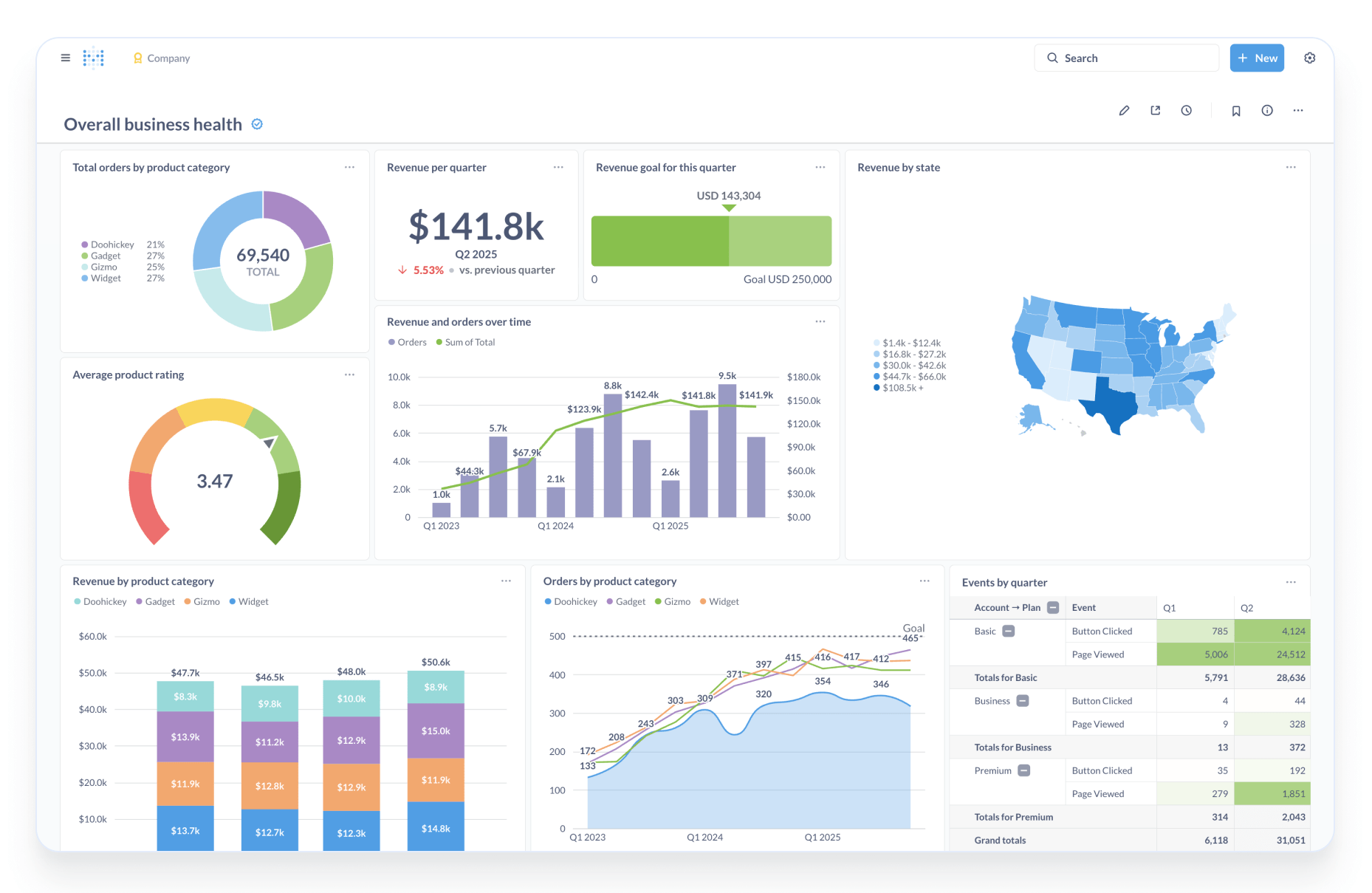
Metabase recently introduced Data Studio, a semantic layer tool that lets analysts define metrics and curate datasets. It's a step forward, but users report it is still maturing.
Metabase offers both internal dashboards and embedded analytics. The paid Pro plan ($500+/month) unlocks white-labeling and interactive embedding. The open-source edition forces a 'Powered by Metabase' badge on any embedded content.
What is Astrato?
Astrato is a warehouse-native business intelligence platform built for teams running on cloud data warehouses, lakehouses and databases. It runs analytics directly on your data source — no extracts, no reload cycles, no staged data layers.
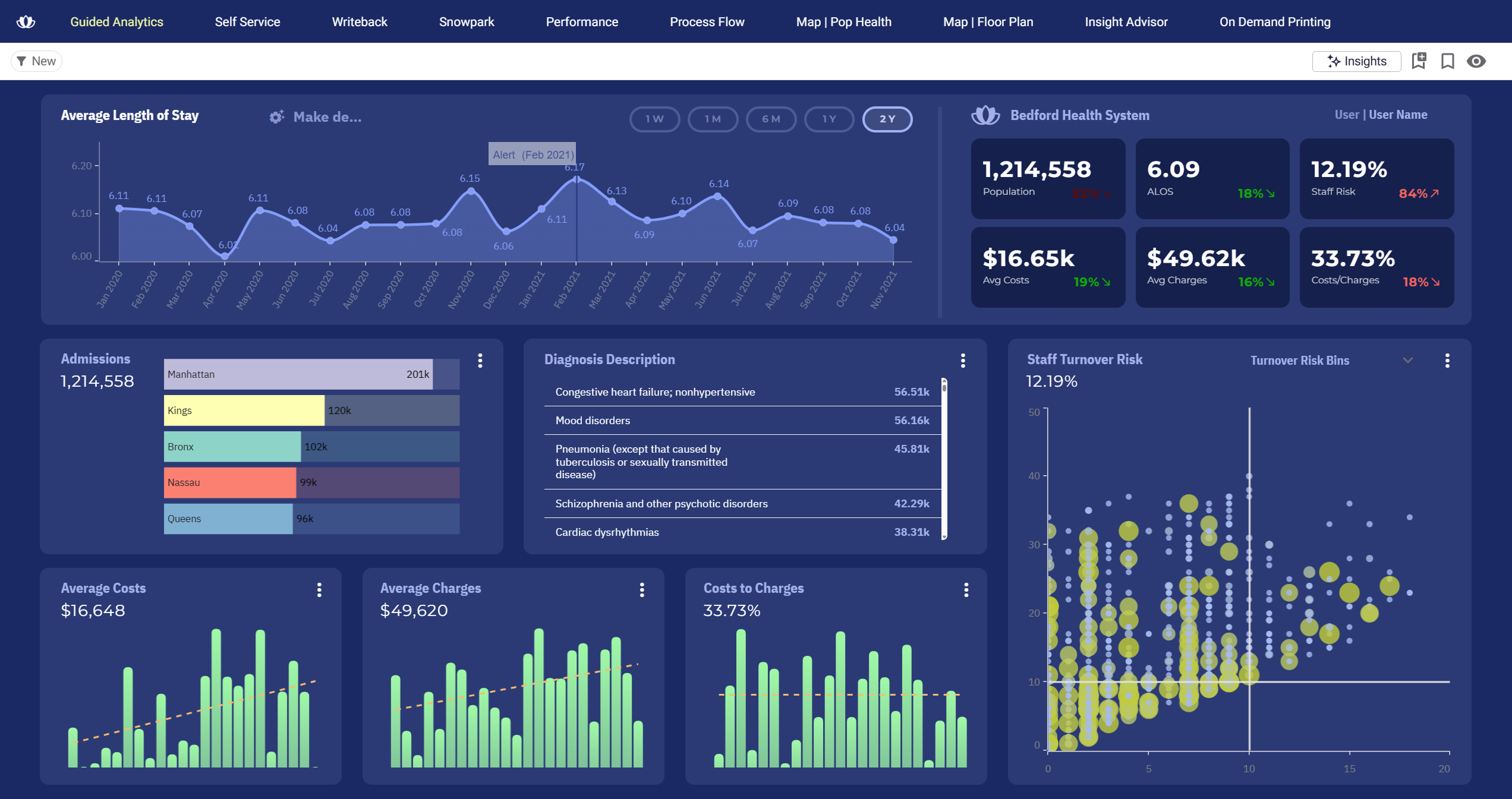
Where most BI tools connect to a warehouse but still operate like desktop software, Astrato treats the warehouse as the single source of truth. Dashboards, workflows, and analytics all execute where governance, models, and logic already live.
Astrato is built for three main use cases:
- guided self-service analytics
- embedded and customer-facing analytics
- and data apps with live writeback.
It includes a centralized semantic layer, native GenAI, pixel-perfect embedded analytics, and automated scheduled reporting out of the box.
Architecture: live query vs classic BI
This is the biggest difference between the two tools. It's not a feature difference. It's an architectural one.
How Metabase works
Metabase connects to your database or warehouse and queries it directly at runtime. That's a genuine strength compared to tools that extract data into a proprietary cache. Dashboards in Metabase can show live data from Snowflake or BigQuery — and this is something Metabase rightfully highlights.
However, Metabase operates as a layer on top of your warehouse. Business logic, metric definitions, and governance exist inside dashboards and saved questions rather than in the warehouse itself. When different teams build dashboards, they can define the same metric differently. You end up with multiple dashboards all claiming to show 'active users' — each with a slightly different SQL definition underneath.
Metabase's Data Studio is beginning to address this. But reviewers note it is a new addition and not yet fully integrated into the product experience.
How Astrato works
Astrato queries live from the warehouse or database at every interaction. There are no extracts, no reloads, no caches that go stale. Every chart reflects what's in Snowflake, BigQuery or Clickhouse right now.
More importantly, Astrato's semantic layer sits between users and the warehouse — centralising metric definitions so business logic lives once, reused everywhere. When a business user asks 'what is our MRR?', they get the same answer whether they're in a dashboard, a custom report, or an AI-generated query.
Astrato also uses pushdown SQL, meaning only the data you actually need is queried. Pre-filters run before the query hits large tables. This makes analytics on massive datasets predictable and cost-efficient.
Semantic layer and governance
The semantic layer is where teams running on cloud warehouses most often feel the gap between Metabase and a warehouse-native platform.
Metabase
Metabase has models, metrics, and segments that allow analysts to define reusable queries. The new Data Studio builds on this with a more complete semantic layer. But the original architecture distributes business logic across individual saved questions and dashboards.
Enterprise governance features — audit logs, SAML SSO, granular permissions — require Pro or Enterprise tier. The open-source edition has limited access control and no audit capability.
Astrato
Astrato's semantic layer is built-in and centralised. Metrics are defined once and inherited by every dashboard, custom report, and AI query across the platform. There is no risk of metric drift because definitions are not stored inside individual charts.
The semantic layer integrates with dbt, works with warehouse-level RBAC, and is maintained by business users without touching SQL. Analysts stop answering 'which dashboard is right?' — because the answer is always the same.
Self-service analytics for business users
Both tools aim to reduce the analytics bottleneck, but neither solves it in the same way.
Metabase
Metabase's visual query builder is genuinely accessible. Non-technical users can build basic dashboards in just a few clicks. It's one of the most praised aspects of the product.
The friction starts when users need more. Complex filters require workarounds. Advanced calculated fields push users back to SQL. Business users who hit these limits return requests to the data team — which defeats the self-service goal.
Astrato
Astrato's self-service is grounded in the semantic layer. Business users build custom reports by selecting pre-defined, governed metrics — not raw database columns. They can't accidentally query the wrong table or define a metric differently from the finance team.
AI querying (natural language questions like 'which region had the highest revenue last quarter?') works on top of the same semantic layer. Answers are consistent, not hallucinated. Analysts escape the request queue because the governed foundation exists.
Embedded analytics and customer-facing analytics
This is often the deciding factor for SaaS companies and teams building customer-facing data products. The two tools take very different approaches.
Metabase
Metabase supports embedding via iframes and, more recently, an embedded analytics JavaScript library. The open-source edition stamps dashboards with a 'Powered by Metabase' badge. Removing it requires the Pro plan at $500+/month.
Full interactive embedding — with white-labeling, custom colors, fonts, and self-service for end customers — is locked to Pro or Enterprise. Per-user pricing means costs scale steeply as your customer base grows. A SaaS product with 1,000 active customers could face bills exceeding $10,000 per month on the Pro plan.
The iframe approach also creates a UX gap. Dashboards load inside a separate frame, creating inconsistency with your product's design language. Mobile responsiveness can be unreliable.
On Reddit's r/BusinessIntelligence, users consistently describe Metabase's embedded dashboards as offering 'okay data viz functionality' for simple use cases — but note the limitations become clear when customer-facing experiences demand brand consistency and scale.
Astrato
Astrato was built for embedded analytics from the ground up. White-labeling is not an upgrade, but the default. Fonts, colors, layouts, and component styling match your product UI without CSS workarounds.
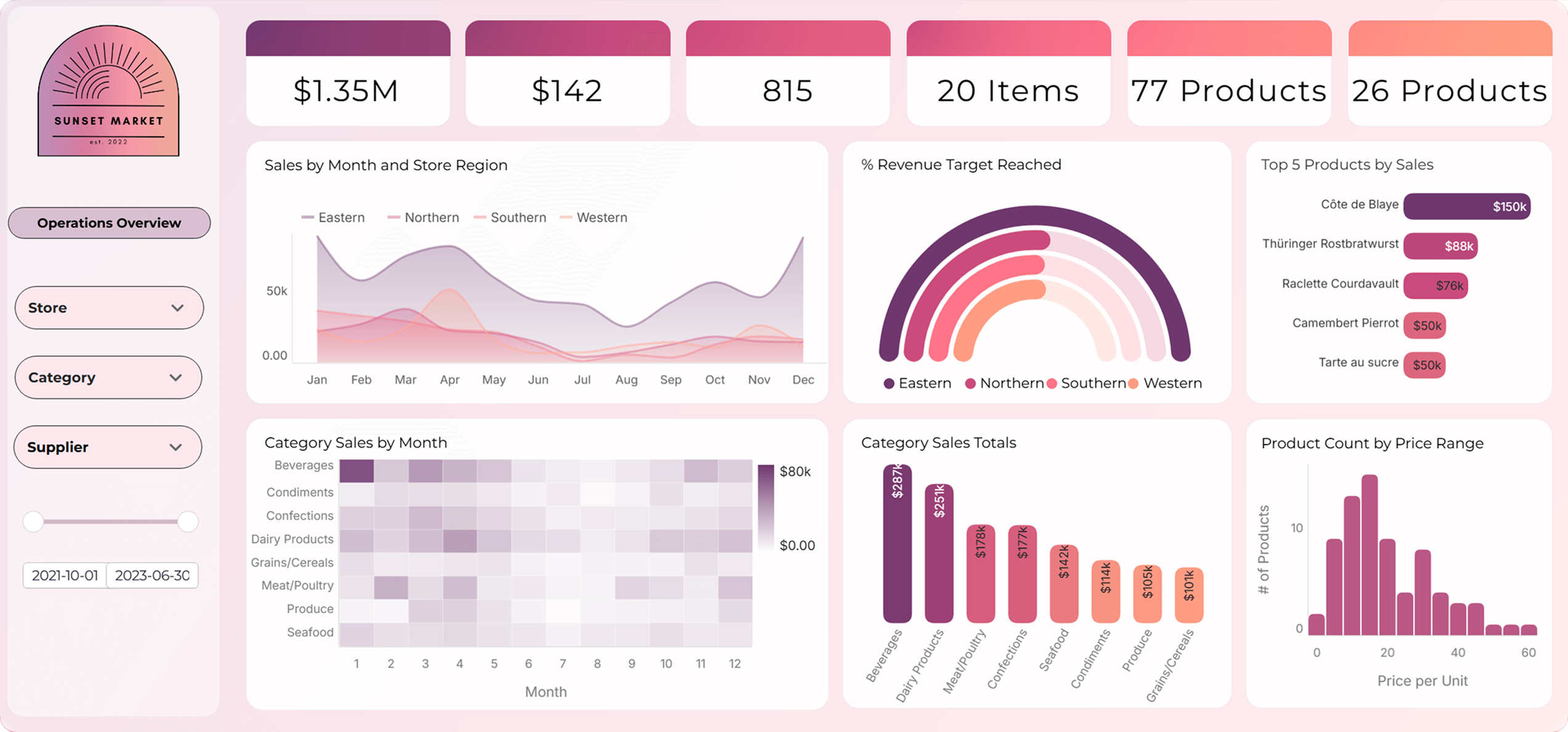
Embedding works via iframe or API. You can embed a full dashboard, a single chart, or just a KPI widget. The experience feels native to your product, not like a third-party BI tool bolted on.
Writeback is available in embedded contexts, too. Customers can update forecasts, submit form data, and trigger workflows — all from inside your product's analytics view. Metabase's writeback is limited to PostgreSQL and MySQL, and not available in guest embeds.
Writeback: read-only vs actionable analytics
Most BI tools are read-only. You see the data. You can't act on it from the same interface.
Metabase
Metabase introduced Actions in version 46, allowing users to write back to databases. However, writeback works only with PostgreSQL and MySQL — not with cloud data warehouses like Snowflake or BigQuery. It is also unavailable in guest-embedded contexts, which makes it unusable for customer-facing analytics use cases.
Astrato
Astrato's writeback is native and works with any connected data warehouse. Users can update forecasts, approve budgets, correct records, or trigger workflows directly from dashboards. Changes sync to the warehouse with full governance and audit trails.
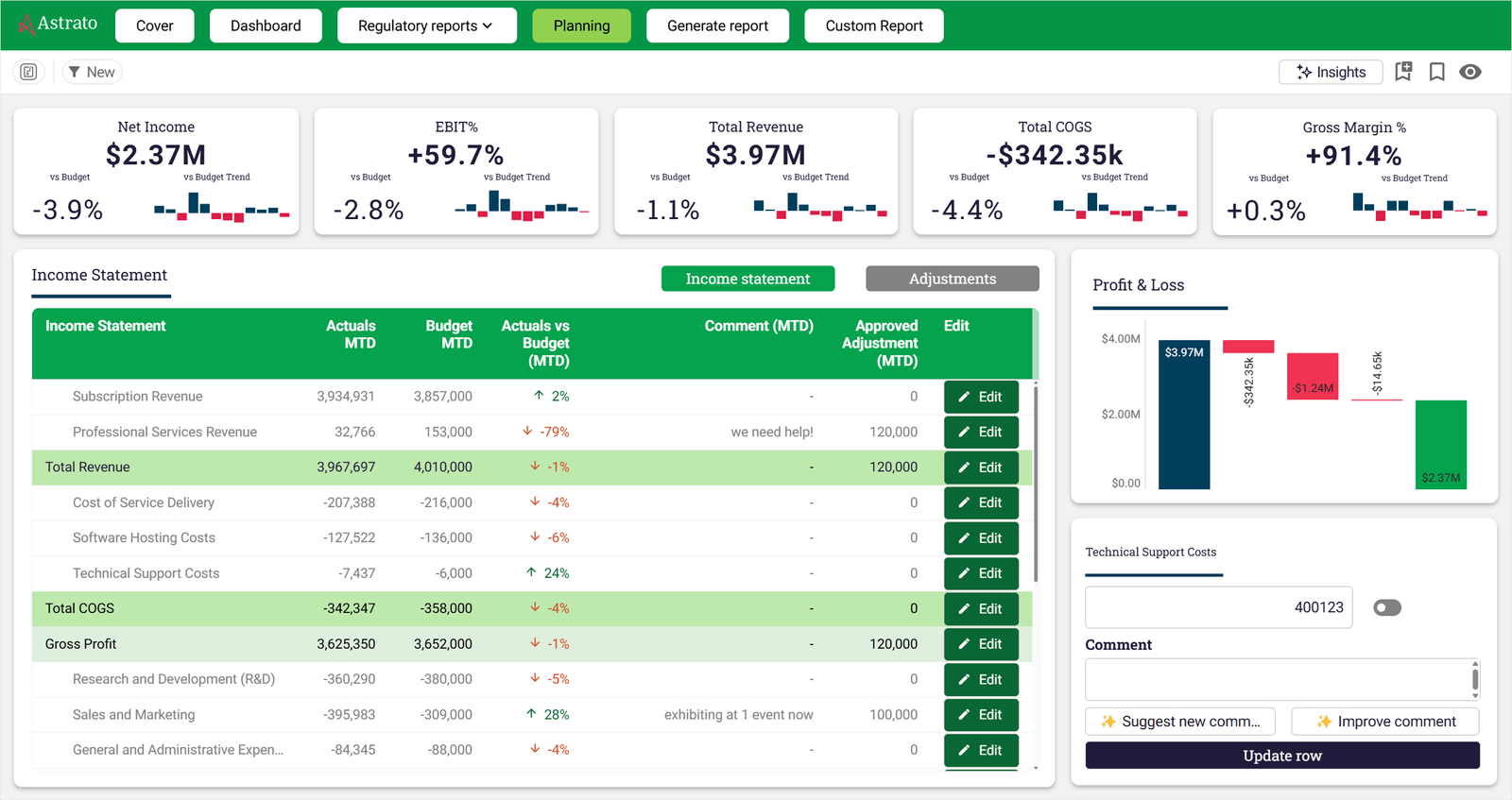
This turns analytics from a passive observation layer into an active operations tool. Finance teams can adjust forecasts in place. Customer success teams can update account notes. Operations teams can approve requests — all without leaving the data view.
AI-powered analytics
Both tools now have AI capabilities. The quality of those capabilities depends heavily on what they're built on top of.
Metabase
Metabase's Metabot AI is available on paid plans. It allows natural language queries and helps users write SQL. The challenge: Metabot's accuracy depends on the quality of table metadata and model definitions. Without a mature semantic layer underneath, AI queries can return inconsistent or misleading results.
Metabase recently announced Data Studio specifically to improve the metadata foundation for AI. This is a step in the right direction, but the product is still maturing.
Astrato
Astrato's GenAI is grounded in the semantic layer from day one. Natural language questions like 'what was our best-performing region last quarter?' query the same governed metric definitions used by every other dashboard. Answers are consistent — not guesses.

Astrato supports native LLM integration with Snowflake Cortex (including Claude, Meta, DeepSeek, and Mistral models), Google Gemini for BigQuery, and OpenAI. You can also bring your own LLM. AI-assisted analytics includes automated executive reporting with AI-generated commentary.
Scheduled reporting
Regular reporting to stakeholders, customers, or executive teams is a core BI function.
Metabase
Metabase supports scheduled subscriptions via email and Slack. Reports are sent as CSV exports or dashboard snapshots. Brand control is minimal at lower tiers — there is no way to match the report to your company's visual identity without Pro or Enterprise.
Astrato
Astrato's scheduled reporting delivers branded PDFs, PowerPoint decks, and Excel files on a schedule. Finance teams send board decks without rebuilding visuals. Customer success teams share weekly trend reports in client-branded formats. Each report pulls live data at send time.
Performance on large datasets
Performance diverges significantly as data volume and concurrent user count grow.
Metabase
Metabase is an excellent choice for quick setup and fast queries on moderate datasets. Performance degrades noticeably with complex joins, large datasets, or multiple concurrent users. Long-running queries can time out on the cloud tier.
Astrato
Astrato uses pushdown SQL and warehouse-native execution. The warehouse handles compute, which means Snowflake or BigQuery's elastic scaling applies directly to your analytics workloads. Pre-filters reduce scan costs before queries hit large tables. Clustering and caching are leveraged natively.
Because there is no extract layer to maintain, there are no refresh failures. Query costs are predictable. Usage scales with warehouse capacity, not with Astrato instance size.
What Metabase users say
Metabase — what people like
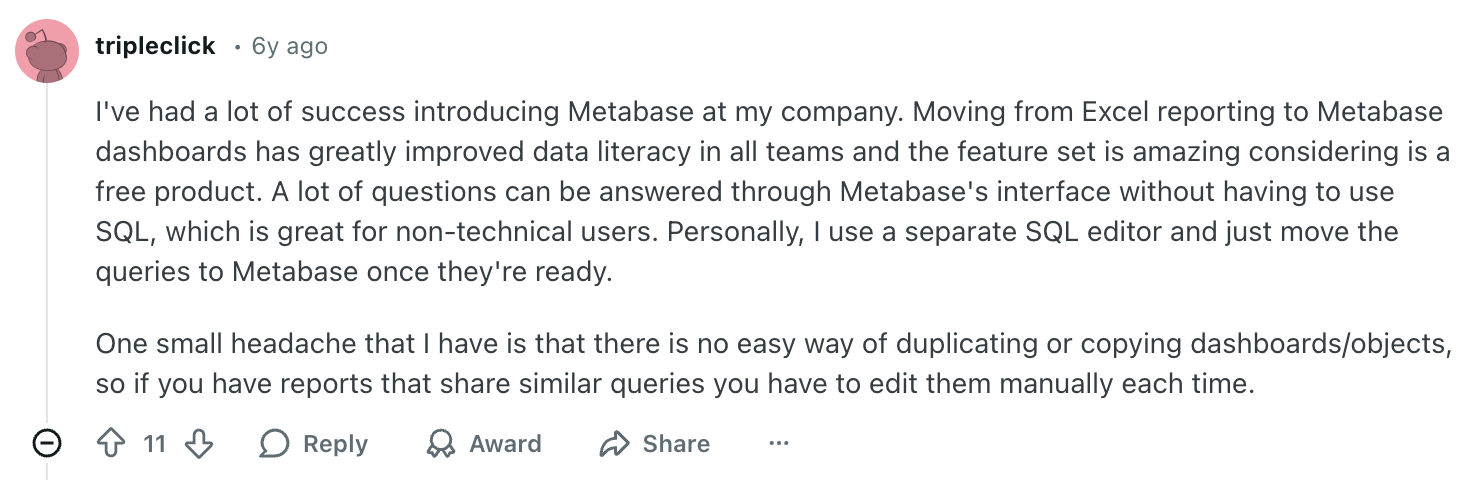
- Free open-source edition with no user limits on core features
- Fast setup — dashboards running in under an hour
- Clean, accessible UI for non-technical users
- Strong SQL editor for technical users who need full control
- Active open-source community and regular updates
Metabase — where users hit limits
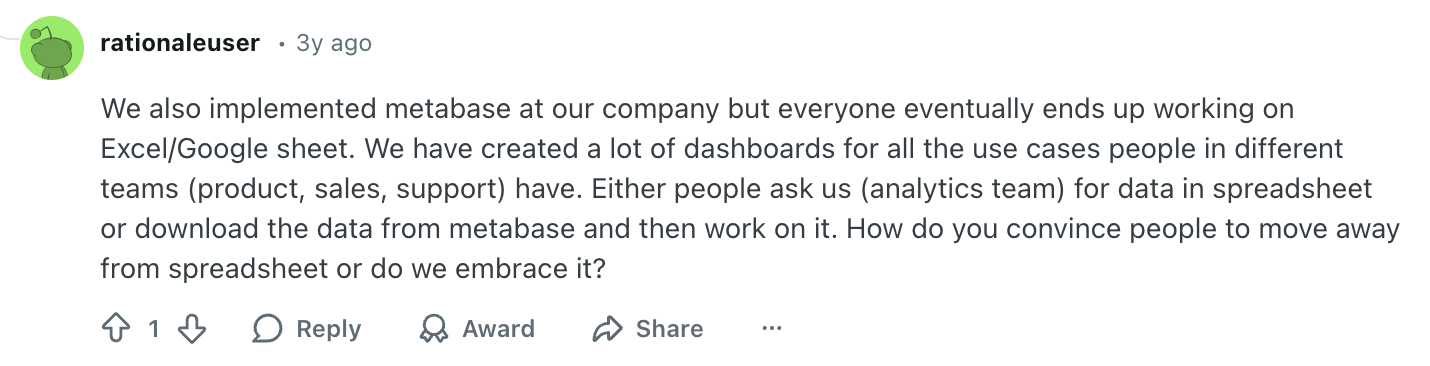
- White-labeling and interactive embedding locked to Pro/Enterprise tier
- Visualisation customisation limited — dashboards look like Metabase, not your product
- Performance degrades on large datasets and with concurrent users
- Advanced governance features (audit logs, SSO, RBAC) require paid plans
- Complex self-service hits a wall without SQL knowledge
Who should use Astrato?
Astrato is the right fit if you:
- Run on Snowflake, BigQuery, Databricks, PostgreSQL, or any other cloud data warehouse, lakehouse, or database and want analytics that live inside your source.
- Are modernising from Qlik, Tableau, or Power BI and need architecture alignment, not just a UI swap
- Build customer-facing analytics or SaaS products that need white-labeled, branded dashboards
- Need a governed semantic layer so multiple data teams share one version of truth
- Want native writeback so analysts and customers can act on data, not just observe it
- Want AI querying grounded in governed metrics — not hallucinated guesses
Metabase may be a better fit if you:
- Are early-stage and need to ship dashboards quickly with no budget for BI tooling
- Have a small internal team with basic reporting needs and enough technical resource to self-host
- Primarily need internal analytics and are comfortable without a full semantic layer
- Have PostgreSQL or MySQL workloads and don't need cloud warehouse-native execution
- Value the open-source community and want full access to the codebase
Didn’t find what you were looking for? Check out more Metabase alternatives in our latest guide.
See the difference for yourself
If your team is running on a cloud data warehouse, lakehouse or database — and you're evaluating a BI platform that can grow with your data — Astrato is built for that transition.
Book a demo and see live analytics running directly on your source data.




.avif)


