
Deploy warehouse-governed writeback on live dashboards
Users input data, approve changes, update records, and trigger downstream actions – all from the same dashboard where they analyze the data.
Every change executes as a governed SQL operation. Full audit trail. Role-based permissions. Inherited from your data platform.



How it works
Not all writeback is the same. Some BI tools route input through a staging database or proprietary sync layer – adding latency, duplicating governance, and creating one more system to maintain. Others don't offer writeback at all, so users default to the tool that does: a spreadsheet.
Our writeback is built differently.
When a user submits a change in Astrato, the platform executes a SQL INSERT or UPDATE directly against your warehouse table – no staging database, no sync pipeline, no intermediate API. The dashboard refreshes from the same source. One write. One place.

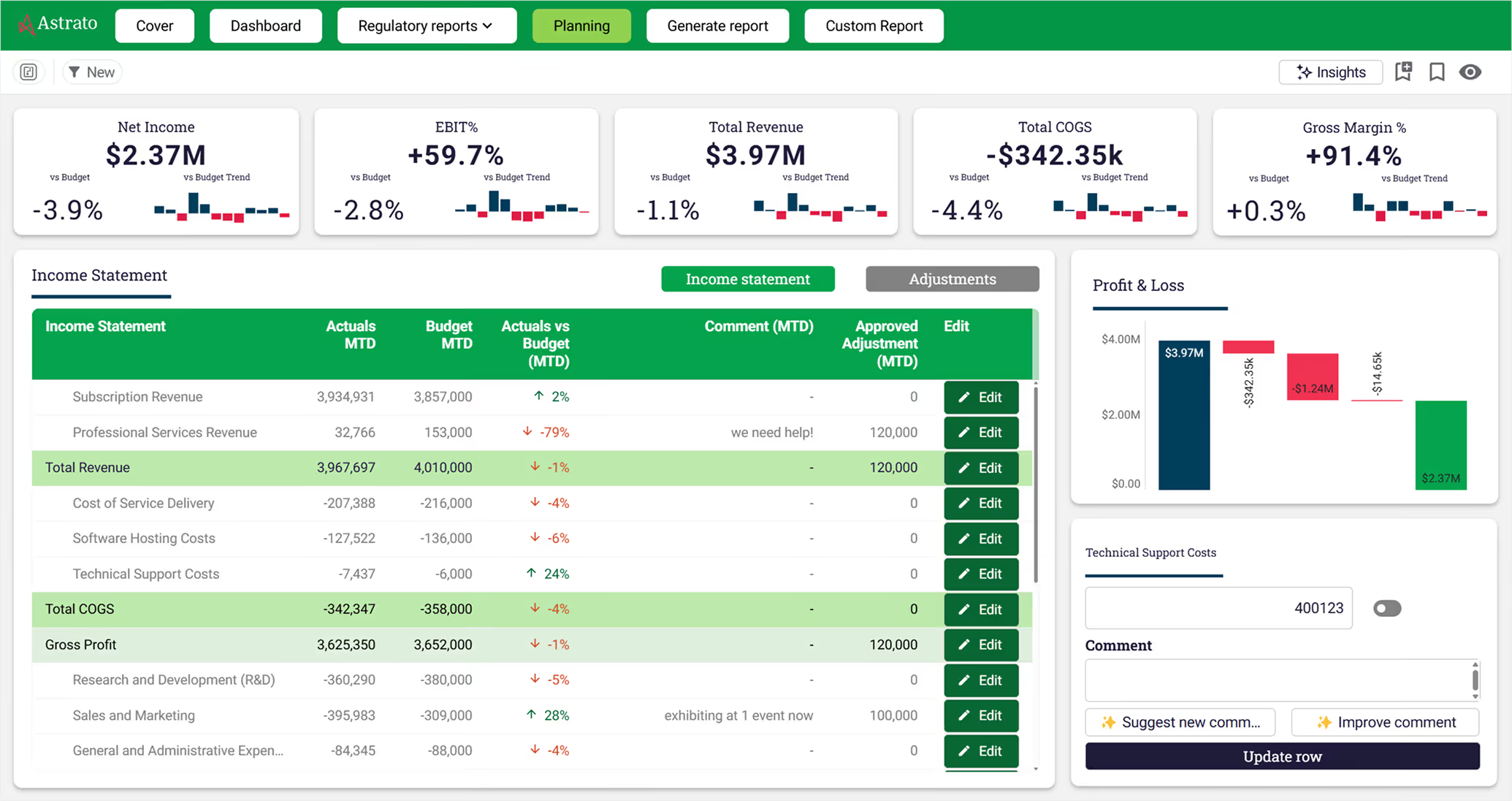


What I appreciate most about Astrato is the ability to interact with the data and add data via the writeback function that allows us to add checklists, audits and CRM functionality to our analytics dashboards.

Your users will find a spreadsheet. Or you can give them a form.
Your BI tool shows data beautifully. But the moment someone needs to change data, they're back in a spreadsheet – and you’re back to cleaning up "UK", "U.K.", and "United Kingdom" after the fact.
Astrato's input forms enforce data quality at the point of entry. Dropdowns constrain choices. Numeric fields enforce ranges. Validation rules catch formatting errors before they reach the warehouse. Build the whole form with drag-and-drop – no code required.
.gif)
Action Blocks
Your users clicked "approve". Now what?
Writeback captures the input. Action blocks handle what happens next – refresh a dataset, apply a filter, navigate to the next step, notify a team. Chain them together with conditional logic into multi-step workflows, all built with drag-and-drop.
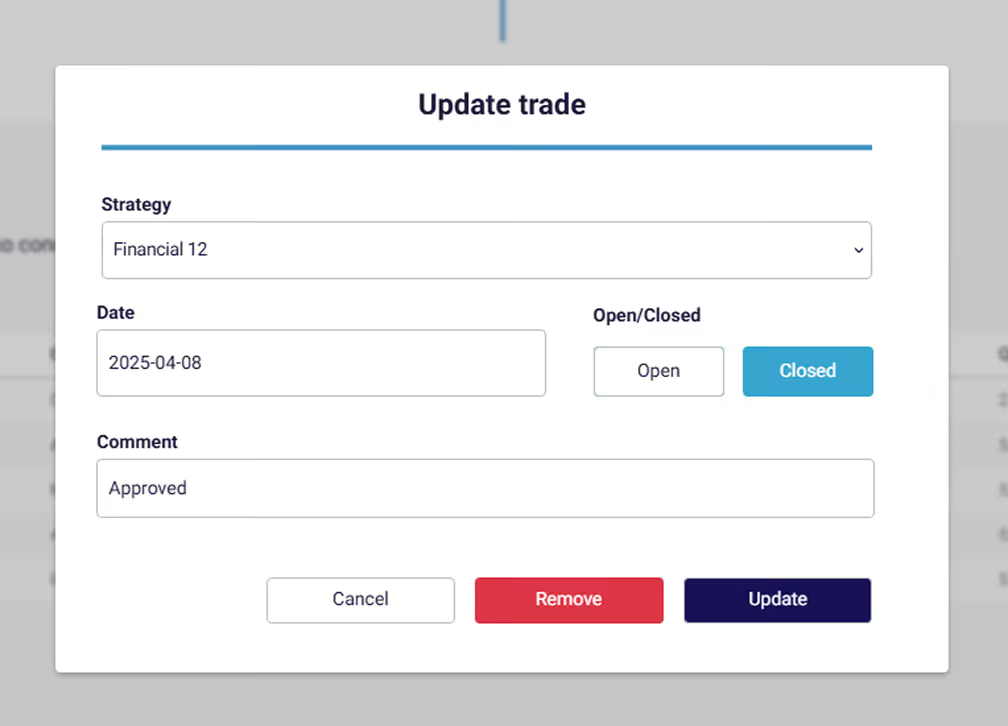

Go beyond dashboards by triggering your wider stack
A single action block can execute a stored procedure in your warehouse, post to Slack or Teams, or call an external function. Triggers fire on button clicks, filter changes, variable updates, or timers. The workflow starts in the dashboard and your wider stack finishes it.
Governance
Built-in security at the warehouse level
Writeback inherits the permissions, roles, and audit controls already configured in your data platform, so you don't need a duplicate security layer.
Who can edit what
Astrato checks user identity and dynamically activates or deactivates writeback controls based on permissions – unauthorised users never see a functional button. At the warehouse level, your existing access controls determine what can actually execute. Two layers, one consistent access model.
Who changed what, and when
Every write is logged in your warehouse's native query history, tagged with user and timestamp. Inspect or restore any previous state using your warehouse's native versioning. No additional audit infrastructure required.


Lock it down after the deadline
Prevent submissions after the month-end. Block retroactive edits. Enforce the same planning cadence your finance team already runs – without the email chain asking who changed what.


Works natively with your cloud data platform



Try writeback in your warehouse

Frequently asked questions
How is this different from Power BI or Tableau writeback extensions we've seen before?
Most BI writeback is a custom visual or third-party add-on bolted onto a read-only tool, with its own auth and storage. Astrato writeback is native — governed by the same Semantic Layer, authenticated by the same SSO, written directly to your warehouse. One permission model, one audit trail.

Where does the data go when users write it back?
Into a designated table in your cloud warehouse — Snowflake, BigQuery, Databricks, Postgres, and others. You control the target schema, permissions, and validation rules. Because it's warehouse-native, the updated data is immediately available for downstream analysis, planning, or operational use.
Is writeback audited, and can we require approvals?
Yes on both. Every change is logged at the database level with user, timestamp, and payload. You can also wrap writeback actions in approval workflows — a manager reviews and signs off before the update is committed — so sensitive changes don't happen unchecked.
Can writeback work inside embedded dashboards for our customers?
Yes. Embedded dashboards support the same writeback capabilities as internal ones, including role-based controls and audit trails. SaaS customers commonly use it to let their end users enter forecasts, approve actions, or add notes directly inside the embedded experience.
Why not Sigma Computing embeds?
Modern BI tools improve usability, but still treat embedding as an extension of dashboards.
That means:
- limited control over presentation
- spreadsheet-style UX that doesn’t match most products
- less flexibility in building tailored customer experiences
Astrato lets you design analytics that feel native to your product — not an embedded worksheet.