

On February 19, 2026, Domo's board quietly announced it was opening a formal process to explore strategic alternatives — the corporate euphemism for "we're looking for a buyer." If you're a Domo customer, you may have caught the press release. So what? Vendors do this kind of thing.
These buyouts sometimes work out. But in business intelligence, the track record isn't reassuring:
- Looker got absorbed into Google Cloud and slowly became a GCP checkbox.
- Tableau went to Salesforce and started looking a lot more like a CRM upsell than a standalone analytics platform.
- Pyramid Analytics, which sold to ServiceNow last month, is now being reoriented around IT workflows rather than the data teams it was built for.
I'm not saying Domo is done. I'm saying that if your company's data-driven decision making runs on Domo today, the announcement should raise a question you probably haven't asked in a while:
Is this still the right business intelligence tool for where we're going?
And if you're already considering Domo alternatives, now is the right time to think clearly about the decision — before an acquirer makes it for you.
This article helps you decide which alternatives genuinely fit your current situation, depending on the way you’re using Domo.
TL;DR
- Every comparable acquisition redirected the product roadmap away from its original users. Expect 12–24 months of investment pause regardless of outcome.
- Warehouse-mature data teams, business-led analytics teams, and embedded analytics builders have genuinely different needs. Picking a wrong tool for your situation is worse than doing nothing.
- If you've committed to a cloud warehouse, the right alternative should query live from your warehouse — not extract data into its own layer. Astrato is the strongest Domo alternative in this way as it connects directly to your warehouse and flawlessly executes embedded analytics for customer-facing data products, fully white-labeled.
Domo Is For Sale — Why Should I Worry?
There are four scenarios that play out when a business intelligence platform enters a sale process.
Scenario 1 — Acquisition by a Cloud Hyperscaler
Such as AWS, Google, or Azure that wants to add analytics capability to drive cloud services consumption. This is the Looker scenario. The product doesn't disappear, but its roadmap gets reprioritized around platform stickiness. Customers not deeply committed to that specific cloud start feeling like second-class citizens. The data integration and storage layers get rationalized. What remains is a thinner tool.
Scenario 2 — Acquisition by a Large SaaS Platform
A big player like Salesforce, ServiceNow, SAP, or Oracle that wants to integrate analytics directly into its existing product suite. This is the Tableau and Pyramid scenario. The analytics platform becomes a feature of a larger play. If your data already lives in that vendor's ecosystem, you might benefit. If it doesn't, you're now on the wrong side of the roadmap.
Scenario 3 — A Private Equity Buyout
The PE playbook in software is consistent: reduce R&D headcount, rationalize support tiers, push aggressive multi-year renewals, and re-sell. This produces the slowest visible deterioration but often the most damaging one for customers who've signed long contracts.
Scenario 4 — No Deal
In this case, the process drags, uncertainty accelerates churn, key talent leaves, and the company enters a managed decline.
In every scenario, meaningful product investment pauses for 12 to 24 months. The people who built the features your data teams rely on start updating their LinkedIn profiles. Teams on modern stacks pull ahead. Domo has reaffirmed FY2026 revenue guidance of around $318M with continued losses — a flat trajectory with a narrow universe of willing acquirers at a premium. The process is real, even if the outcome isn't settled.
Pick The Domo Alternatives That Actually Make Sense
Domo built its reputation by being the all-in-one answer at a time when there wasn't a good one. It connected to multiple data sources, stored data in its own layer, built dashboards on top, and called it a platform. For teams without mature data infrastructure in 2015, that was genuinely useful.
But that same architecture — extract data out of your sources, cache it in Domo's proprietary layer, run business analytics on the cache — is now the thing that makes Domo feel misaligned with where most data teams have landed. If you've moved to a cloud data warehouse as your single source of truth, Domo is fighting against your architecture every time it runs a reload.
The right Domo alternative depends heavily on where you sit. There are three distinct groups of Domo users, each with different problems and different best-fit replacements.
For each group, I'll identify the right framing, name the best fit, and give you an honest read on the other options including their real weaknesses.
A) You Are a Warehouse-Mature Data Team
You've migrated to a cloud warehouse. You have a semantic layer in progress. You're using Domo primarily for dashboards and data integration, and increasingly frustrated that it doesn't respect the architecture you've built. Reload failures are recurring. Data accuracy is a constant complaint. Your engineers dread Domo maintenance. What you need is a scalable analytics platform that treats your data warehouse as the single source of truth — not another business intelligence tool that extracts data from it.
You need a BI platform that runs analytics where the data already lives — warehouse-native, not just warehouse-connected. The distinction matters: warehouse-connected tools still extract data into their own layer. Warehouse-native tools treat your data warehouse as the execution engine. No data preparation overhead outside the warehouse. No reload cycle. No freshness lag.
Astrato
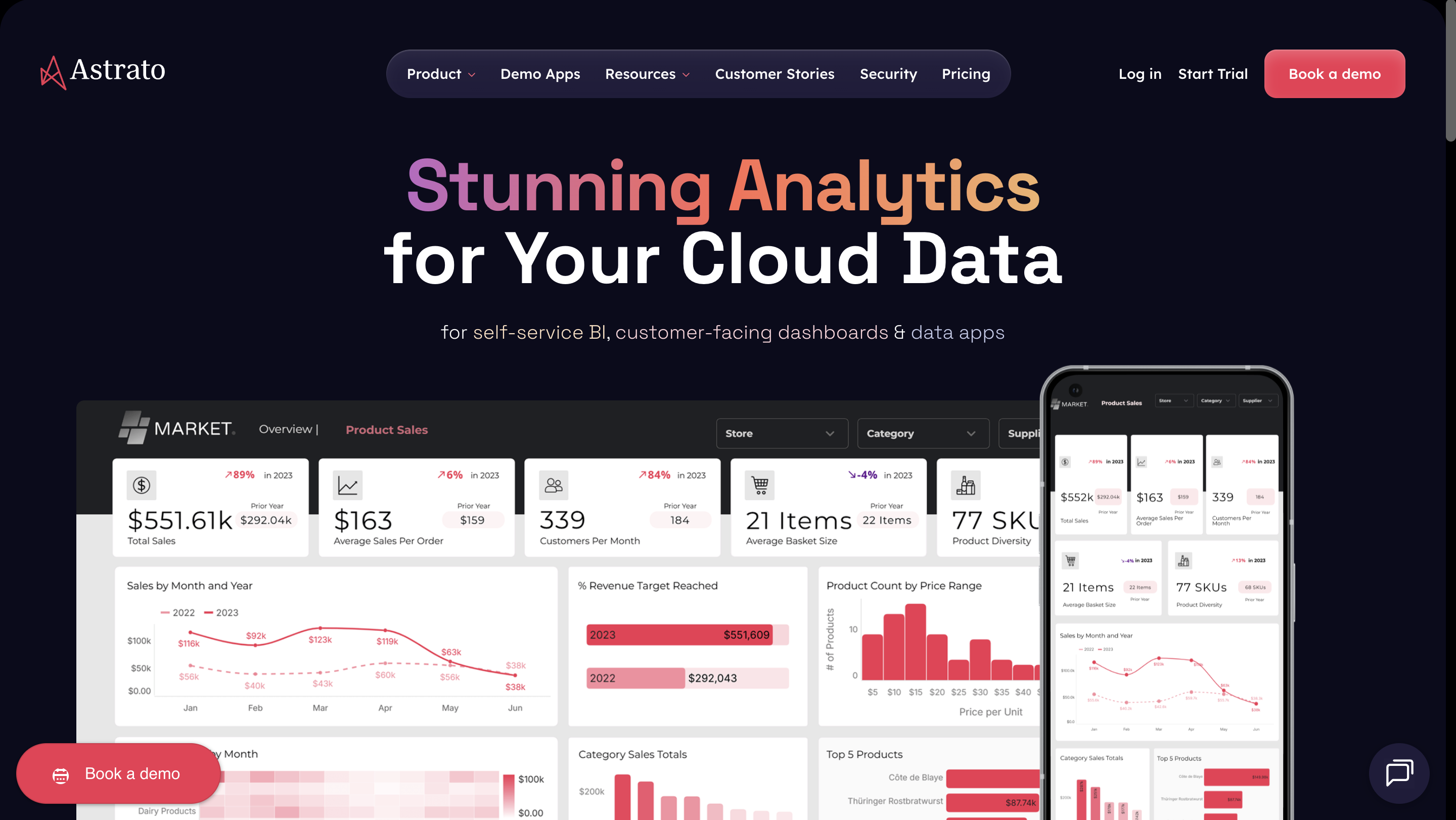
Astrato is warehouse-native, not warehouse-connected. Dashboards, self-service analytics, and AI-powered insights all execute live inside your cloud data warehouse. No data extraction, no reload cycles, no cached data layers creating freshness lag or data accuracy issues. The centralized semantic layer sits between the warehouse and workbooks: define your metrics once, use them everywhere, and give AI the business context it needs to generate accurate automated insights rather than hallucinations.
Non-technical users get a no-code interface — drag-and-drop dashboard creation, custom reports for ad hoc analysis, natural language queries — without writing SQL or learning a proprietary expression language. Data teams get a platform that works with dbt models, warehouse governance, and RBAC rather than around them. And for embedded analytics, pixel-perfect white-labeled dashboards, multi-tenant management, and transparent pricing model make it the strongest Domo replacement for SaaS teams serving analytics to external customers.
- Works with any major cloud data warehouse
- Warehouse-native · No extracts
- Centralized semantic layer
- Intuitive interface
- Pixel-perfect embedded analytics
- Writeback & data apps
- AI-powered · NL queries
Best for: Warehouse-native teams who query large datasets, and create interactive dashboards. SaaS teams serving embedded analytics to customers. Business users who need self-service without technical expertise.
Be aware: Smaller vendor — still building ecosystem recognition vs. Sigma and Tableau. Guided POC is the proven path to evaluation; self-directed trials don't work well.
For a more comprehensive comparison, check out our Astrato vs. Domo review.
Sigma Computing
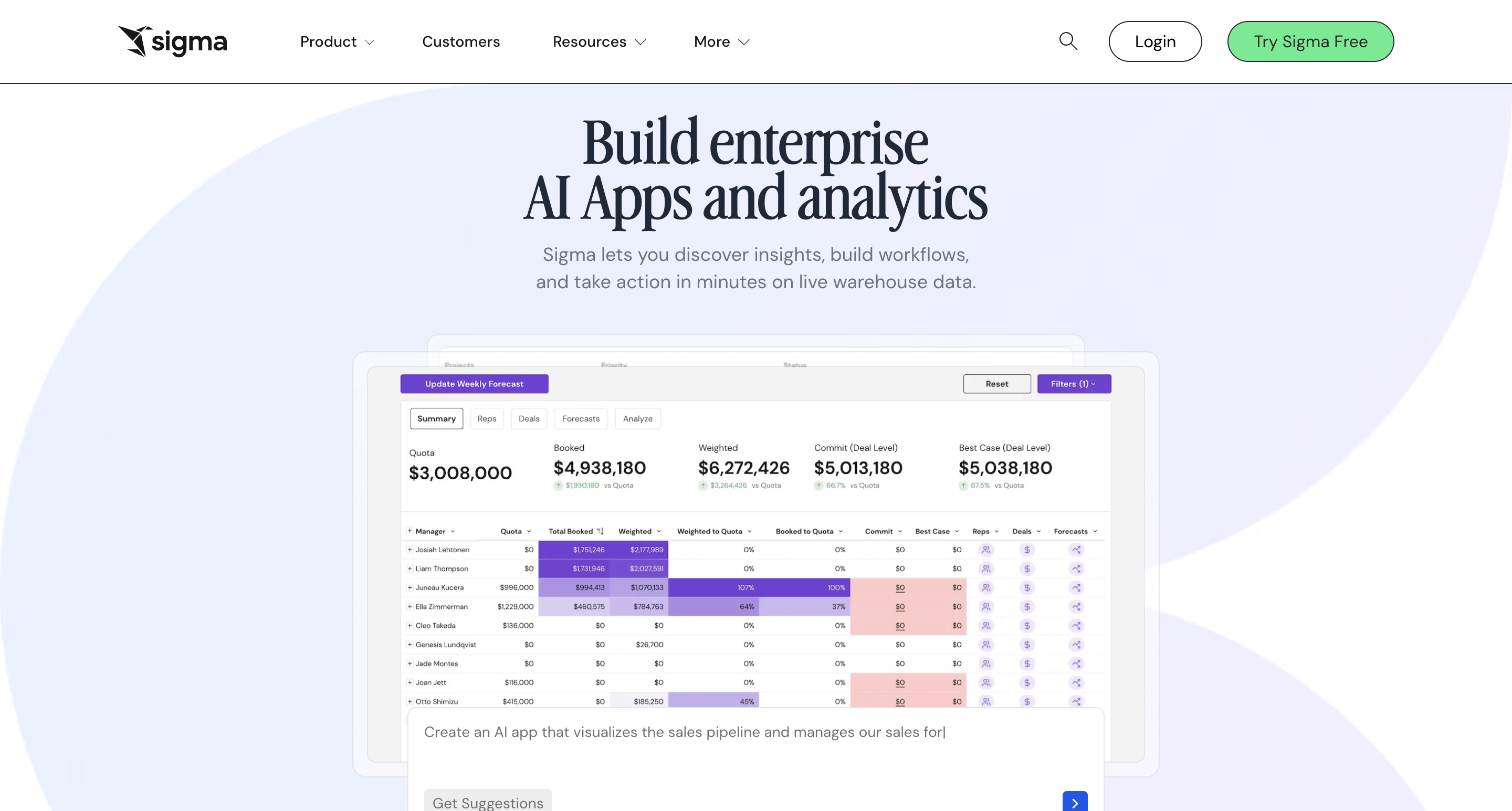
Sigma is warehouse-native and genuinely well-built. The spreadsheet-like interface resonates strongly with finance and ops teams who think in pivot tables, and Sigma is the most visible warehouse-native challenger in the Snowflake ecosystem — partner referrals are more common here than for most alternatives. Well-funded at $100M+ ARR. If your primary users are finance-led and your stack is Snowflake-first, it's worth serious evaluation.
- Warehouse-native
- Finance-friendly UI
- Strong Snowflake ecosystem
- Writeback stores in Sigma format
Best for: Finance teams and data-savvy analysts who want the flexibility of a spreadsheet combined with the power of a cloud warehouse.
Watch out for: Spreadsheet paradigm doesn't suit every analytics use case. Write-back works but data lands in Sigma's own format, not cleanly back to your warehouse. Visualization aesthetics and customizability trail Astrato for customer-facing use cases.
Omni
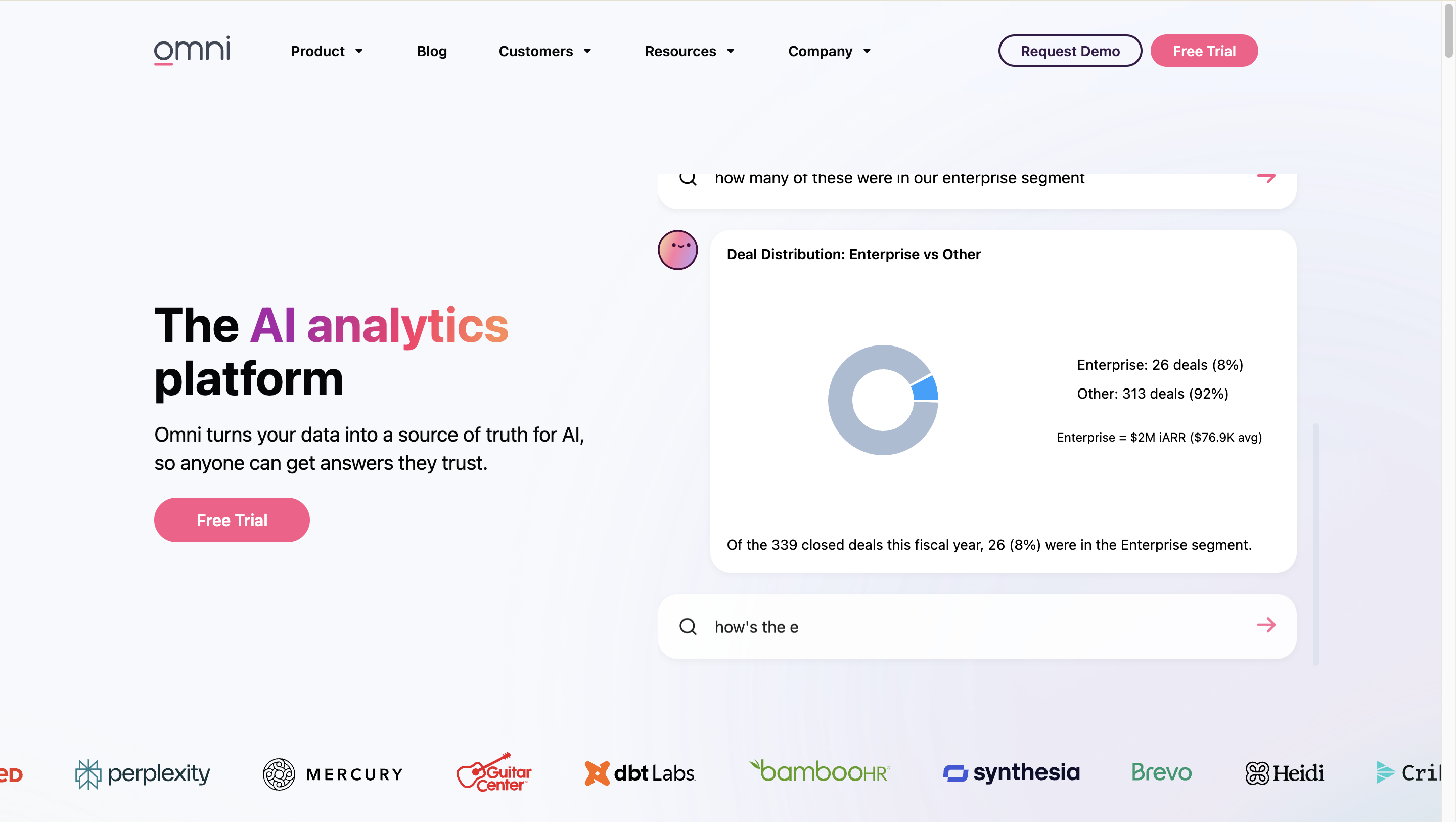
Omni brings in strong DNA for teams coming off Looker, as it shares the model-first, governed approach to data modeling and in-depth data analysis. The SQL-spreadsheet hybrid interface is powerful for analytical engineers comfortable in SQL but challenging for broad self-service audiences. Acquiring Explo adds embedded analytics capability; worth watching as that integration matures. Advanced data modeling features and a governed semantic layer make it a credible choice for technically-sophisticated data teams.
- Model-first / semantic layer
- Strong Looker replacement
- Steep learning curve for business users
- Embedded integration still maturing
Best for: Advanced analytics engineering teams with mature dbt setups, technically-oriented buyers who prioritize advanced data modeling and governance over self-service breadth.
Be aware: Omni is still building out the breadth of features that larger platforms offer. If you need robust pixel-perfect reporting, complex data app building with writeback, or mature multi-tenant embedded analytics, Omni may not be there yet.
B) You Are a Business-Led Analytics Team
You chose Domo because non-technical users could access data and build interactive dashboards without filing IT tickets. The challenge now is that self-service analytics has hit a ceiling. There's a permanent backlog of ad hoc analysis requests that the tool doesn't actually resolve, and the platform complexity has grown beyond what your team can comfortably maintain. You need an intuitive interface that genuinely empowers business users to explore data freely — not one that promises it.
You may consider Microsoft Power BI because it's familiar and cheap — without thinking about the architectural debt. Power BI is a reasonable choice if your data already lives in the Microsoft tools ecosystem. If it doesn't, you're building new extract-and-reload dependencies. In two years you'll have the same data accuracy frustrations, plus a dependency on Data Analysis Expressions (DAX) that's genuinely hard to hire for.
The honest recommendation depends on your warehouse maturity. If you're warehouse-native, Astrato's no-code interface was built for business teams who need to visualize data and analyze data without technical expertise — drag-and-drop dashboard creation closer to a presentation tool than a traditional business analytics tool, with a Custom Reports feature that lets non-technical users run ad hoc analysis without filing a ticket. If you're Microsoft-first, Power BI is a legitimate path, with eyes open.
Microsoft Power BI
Microsoft Power BI is the default landing spot for many teams leaving Domo, and the low entry cost and Microsoft ecosystem integration are real advantages for organizations already running Microsoft 365 and Azure. The business intelligence platform has the largest install base of any BI tool, broad organizational rollout capability, and solid interactive dashboards for standard reporting. You can use Power Query and Power Pivot to structure and manage complex data models.
However, be clear-eyed before committing: Data Analysis Expressions (DAX) is genuinely hard to hire for and creates key-person risk. If you're not in the Microsoft ecosystem, the integration benefits disappear and you're left with an extract-based architecture that recreates the data freshness issues you had with Domo. The roadmap is also increasingly focused on Microsoft Fabric and Copilot rather than standalone Power BI capabilities.
- Low entry cost
- Seamless integration with Microsoft tools
- Largest install base
- Clean, shape, and transform data from multiple data sources
- DAX = steep learning curve
- Not warehouse-native
- Roadmap = Fabric / Copilot first
Best for: Organizations deeply embedded in the Microsoft ecosystem (Azure, Excel, SharePoint, Teams) that need advanced analytics features, but also affordable per-user licensing for internal reporting.
Watch out for: The import-mode architecture means data is typically duplicated into Power BI’s own layer. DirectQuery avoids this but comes with a 1M-row result set limit and can be expensive on warehouse compute.
Tableau

Tableau still produces the richest data visualization experience in the market. If you're deep in the Salesforce ecosystem and want tightly integrated CRM analytics, the post-acquisition integration is now genuinely useful. But as a stability play when leaving another acquisition-risk platform — you'd be choosing a business intelligence tool whose roadmap is already being directed by an acquirer toward Salesforce's CRM priorities.
Non-Salesforce users are paying for a platform increasingly oriented around Customer 360, not their use case. High licensing costs and an extract-based architecture mean the data freshness and performance issues that frustrated you with Domo are likely to follow you here too.
- Best-in-class data visualization
- Salesforce ecosystem integration
- Powerful analytics capabilities
- Already post-acquisition
- Roadmap = Salesforce CRM first
- Extract-based architecture
- High licensing cost
Best for: Teams with a strong focus on visual storytelling and are already in the Salesforce ecosystem. Best suited for internal analytics features with some embedding, rather than deeply embedded customer-facing products.
Be aware: Limited white-labeling, as Tableau’s UI is always visible. No native writeback. Expensive at scale. Embedding requires Tableau Server or Cloud, adding hosting complexity.
C) You Are an Embedded Analytics Builder
You're using Domo's embedded capabilities to serve advanced analytics to external customers inside a portal or SaaS product. Interactive dashboards, multi-tenant data management. This is also the use case most at risk in any acquisition — because whoever buys Domo will deprioritize it in favor of their own platform needs.
Every acquisition scenario for Domo produces a bad outcome for embedded analytics: a hyperscaler will reprioritize for cloud consumption, a SaaS acquirer won't power your customer-facing product, a PE buyer will deprioritize the high-maintenance niche. The window for a clean migration is open now, before an acquirer closes it.
So what should your ideal Domo alternative bring?
- pixel-perfect customizable dashboards that look native to your product,
- multi-tenant management at scale,
- usage-based pricing that doesn't break as your customer base grows,
- warehouse-native security so customer data never leaves your governance boundary to live in a third-party analytics platform.
Let’s take a look at the best picks.
Astrato
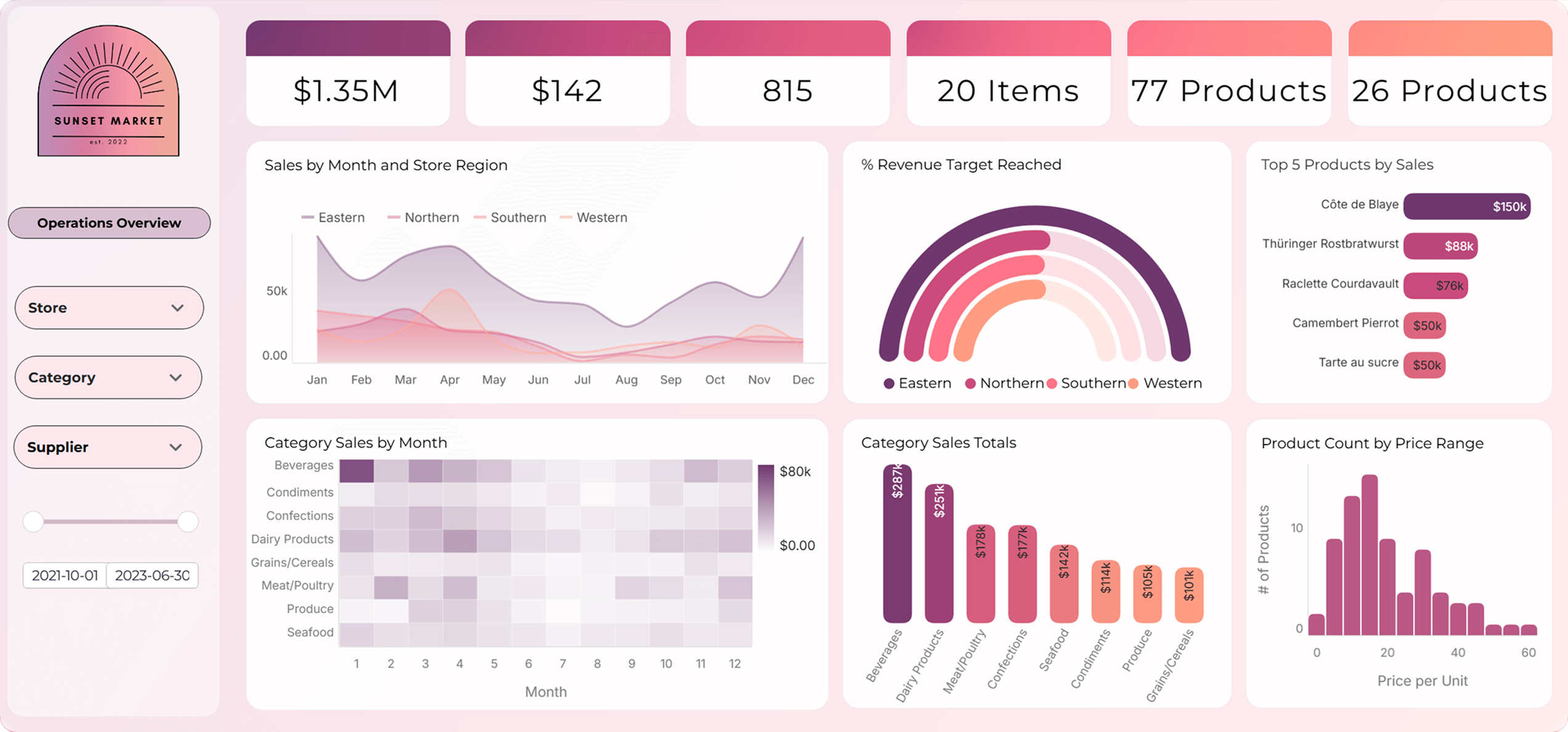
Astrato's embedded analytics is purpose-built, not bolted on. Full design freedom — match fonts, colors, and layouts to your product without code. Embed via iframe or API. The multi-tenant hub manages analytics for hundreds or thousands of customers from a single control plane.
Usage-based pricing means costs scale with actual deployment rather than a per-seat model that breaks as your customer base grows. Warehouse-native security means customer data stays in Snowflake or BigQuery — it never leaves your governance boundary to live in a third-party analytics layer.
What you get:
- Pixel-perfect white-labeled customizable dashboards
- Iframe / API embed — no complex SDK
- Multi-tenant hub — one control plane
- Usage-based pricing (not per-seat)
- Customer data stays in your warehouse
- Writeback for user-facing data entry
Built for: SaaS teams serving analytics to customers, product teams wanting native-feeling analytics, OEM / reseller use cases, teams scaling to thousands of end users, and teams monetizing analytics as a feature.
ThoughtSpot
ThoughtSpot's natural language search and AI-driven insights are genuinely strong. If your end users' primary interaction is asking open-ended questions to derive actionable insights and explore data freely, the natural language queries interface is more intuitive than most alternatives for that specific use case.
The SpotIQ embedded tier is solid and the warehouse integrations are reliable. The limitation is visual design: if your customers expect customizable dashboards that look native to your product, ThoughtSpot's data visualization customization ceiling is lower than what a purpose-built embedded tool delivers. Best when the "ask a question" paradigm matters more than pixel-perfect presentation.
- Natural language search
- AI-driven automated insights
- Warehouse-native integrations
- Limited visual customization
- Own funding challenges historically
Best for: Embedded use cases where the primary value is AI-powered natural language queries and instant insights — not pixel-perfect branded data products. ThoughtSpot gives you the freedom to explore data on your terms, with AI-capabilities, advanced features, and a user-friendly interface that anyone can navigate.
Watch out for: Visualization customization is limited. If pixel-perfect dashboards or data visualization quality matter to you, ThoughtSpot isn’t the right fit. Pricing can be unpredictable at scale.
Alternatives, Acquisition Scenarios, and Risks Involved
Not all alternatives carry the same risk profile under each acquisition scenario. The matrix below maps how your chosen Domo alternative performs depending on which acquisition outcome realizes.
The Architecture Argument You Should Be Making Internally
If you're building the internal case for evaluating Domo alternatives, here's the argument that tends to land with stakeholders who aren't deep in data:
Domo's architecture was built for a world where data lived in application databases and you needed a business intelligence tool to pull it together and derive actionable insights. That world is gone for most modern data teams.
You've invested in a cloud data warehouse as your source of truth. Every time your BI tools extract data out of that warehouse into their own cache, you're undermining that investment — fragmenting governance, introducing freshness lag, and recreating data silos in the one layer that was supposed to eliminate them.
Warehouse-native business intelligence isn't a buzzword. It means your analytics run where your data already lives, governed by the rules you've already set, with a centralized semantic layer ensuring data accuracy across every report. The reload failures go away. The stale data arguments go away. The question of "which dashboard is right?" goes away when the BI platform queries your data directly — not a cached copy.




.avif)


