Replacing Legacy On-Prem BI with AI-Native Analytics
A compliance-heavy buyer’s guide for replacing legacy on-prem BI with AI-native analytics — five architectural decisions, vendor map, and a security checklist.

You’ve been told to modernize. You also have a SOC 2 audit in eight months, an external regulator who asks for evidence quarterly, and a Cognos installation that’s three versions behind because the last upgrade took the reporting layer down for a week. The brief from leadership says “AI-native analytics.” The brief from your security team says “we are not putting customer data into a tool we can’t audit.”
These aren’t in conflict, but the path between them is narrower than the vendor decks suggest.
This is a buyer’s guide for the Director of BI, VP of Data, CIO, or CDO who’s running on-prem business intelligence in a regulated environment and has been asked to replace it. It’s not a “modern BI” pitch. It’s a framework for making a decision that survives the audit committee, the security questionnaire, and the post-migration retrospective two years later.
TL;DR
Replacing legacy on-prem BI in a compliance-heavy enterprise comes down to five architectural decisions: data residency, identity and access, audit and lineage, encryption and key management, and how AI features handle your data. Most modern BI vendors handle three of those well. The one that handles all five — and that retires the spreadsheet sprawl your read-only legacy system created — is the one worth a 12-to-24-month migration.
The legacy on-prem BI landscape in 2026
A quick look at where the major on-prem incumbents are, because “modernize” means different things depending on what you’re modernizing from.
IBM Cognos Analytics. Still sold on-prem and in IBM’s cloud. Modernization is steady but slow. If you’re on Cognos 11.x and your enterprise is comfortable inside the IBM stack, the upgrade-in-place path exists. If you’re trying to escape it, the gravity of TM1 cubes and Framework Manager packages is real.
MicroStrategy. Rebranded the company around bitcoin. The BI product is now MicroStrategy ONE, with cloud-only emphasis. On-prem is supported but de-emphasized. Migration timelines for MicroStrategy customers have been getting longer because the modernization push is bringing architectural changes most legacy customers haven’t reckoned with.
SAP BusinessObjects. Mainstream maintenance ends in 2027 (extended support runs through 2030 at premium pricing). SAP’s strategic destination is SAP Analytics Cloud. If you’re a BusinessObjects customer with deep Webi report inventory, the migration runway is real but limited.
Oracle BI / OAS. Oracle Analytics Server still ships, Oracle Analytics Cloud is the strategic product. If you’re an Oracle ERP customer, OAC has data-source advantages. If you’re not, there’s little reason to start there.
On-prem Qlik Sense. Qlik has been pushing toward Qlik Cloud for years. On-prem Qlik Sense is supported but the feature gap with cloud is widening, and the data-extract architecture (QVD files) doesn’t translate to a live-query world without rebuild work.
On-prem Tableau Server. Salesforce has been steering customers toward Tableau Cloud. On-prem still works, but new capabilities — Tableau Pulse, Einstein integration — are cloud-first.
The honest summary: every legacy on-prem BI vendor is either at end-of-life, on a long-tail maintenance track, or aggressively pushing customers to a cloud product. “Stay where you are” is a defensible short-term choice. It’s not a defensible five-year strategy.
Why “just replace it with the modern equivalent” doesn’t work
If you’re running Cognos in 2026, the obvious replacement is Cognos Analytics on Cloud. If you’re running BusinessObjects, it’s SAP Analytics Cloud. If you’re on Tableau Server, it’s Tableau Cloud. The migration paths exist, the vendor relationship is preserved, and procurement is mostly happy.
This is also the path that doesn’t fix anything.
The reason your compliance team has spreadsheet anxiety is that legacy BI was read-only by design. Every decision your dashboards surfaced — a budget adjustment, an approval, a forecast revision, an incident comment — got moved into a spreadsheet, an email, or a Slack message to actually act on. That action layer lives outside any audit trail your security team can defend. A like-for-like cloud upgrade preserves that problem. You’d get faster dashboards in a more modern UI, and the same shadow-IT decision-making running in parallel.
The replacement is worth doing — and worth defending in front of an audit committee — only if the destination addresses both halves: a cloud architecture that meets your compliance posture, and an action layer that brings decisions back inside the governed platform.
That second half is what most “modern BI” vendor pitches gloss over. Some of them genuinely don’t have it. Some have it through a separate product with separate licensing and a separate audit trail. A small number have it native, governed by your warehouse, in the same tool your end users already log into.
You’ll see that distinction made explicit in the comparison further down. First, the five architectural decisions that determine compliance fit.
The five compliance-determining architectural decisions
These are the questions your security team will raise. Get the framework right, and you can evaluate any vendor against the same yardstick. Get any one of them wrong, and the migration stalls in legal review.
Decision 1: Data residency
The question: Where does your data live, and where is it processed when a query runs?
On-prem BI’s selling point was that the data never left your data center. Cloud-native means the data is somewhere — and you need to know exactly where, who else might process it, and how regional containment is enforced.
This matters because GDPR (especially post-Schrems II), regional data sovereignty laws, and industry-specific frameworks (HIPAA in the US, PIPEDA in Canada, the UK Data Protection Act) treat residency as primary. A SOC 2 attestation doesn’t answer the residency question by itself; you need vendor-specific architecture documentation.
What to look for: Regional deployment options that match your jurisdictional requirements. A clear sub-processor list, with each sub-processor’s locations. A data flow diagram that shows where queries, schema metadata, and user inputs travel. For warehouse-native BI tools — the architectural pattern most cloud-native BI vendors now follow — residency is partially inherited from your warehouse: if your Snowflake or BigQuery instance is in EU-West, the queried data stays there. The BI tool’s own residency story still matters for metadata, application logs, and any cached query results.
How vendors handle it: Microsoft and Google both publish detailed residency documentation across their cloud regions, and Power BI / Looker inherit those guarantees. AWS-hosted BI vendors (Tableau Cloud, Sigma, ThoughtSpot) publish their region maps. Younger cloud-native BI vendors vary — read the trust pages closely.
Astrato’s zero-copy architecture means warehouse data isn’t extracted or duplicated, so residency for queried data inherits from the warehouse. The Astrato application itself is hosted across multiple regions; confirm regional fit for your jurisdiction during procurement.
Decision 2: Identity, SSO, and access management
The question: How does the BI tool plug into your identity infrastructure, and what fidelity do you keep when you do?
Your legacy BI integrated with on-prem Active Directory because that’s what existed when it was deployed. Cloud-native BI integrates with cloud identity providers — Azure AD (now Entra ID), Okta, Ping. The integration depth determines whether you keep your existing access patterns or rebuild them.
What to look for: SAML 2.0 and OIDC support as table stakes. SCIM provisioning so user lifecycle stays in sync with your IdP. Role-based access control (RBAC) at the workspace, workbook, and data-source level. Conditional access policy compatibility (your IdP’s location-based or device-based access rules need to flow through to the BI tool). And — often missed — group-based access that maps cleanly to your existing AD/Entra group structure, so you don’t end up rebuilding access provisioning from scratch.
How vendors handle it: Microsoft Power BI is the deepest by default if you’re already in the Microsoft 365 stack — it’s effectively native. Tableau, Sigma, ThoughtSpot, Looker, and Astrato all support SAML 2.0, OIDC, and SCIM. The differences show up in the details: how groups are synced, how nested groups are handled, whether deprovisioning is real-time or batch.
For row-level access specifically, the architectural pattern that scales is inheritance from the warehouse. If RLS is defined in Snowflake or BigQuery once, every BI tool that queries through the user’s warehouse identity gets the right answer. The pattern matters enough that we covered it in depth in BI Platforms with Native Row-Level Security on Snowflake — for compliance-heavy buyers, it’s the difference between governance defined once and governance reimplemented in three places.
Decision 3: Audit, lineage, and immutability
The question: Who saw what, when — and can you reconstruct it seven years later?
Regulated industries often require audit retention measured in years. Healthcare under HIPAA, financial services under SOX and various state regulations, insurance under solvency frameworks — all assume the ability to reconstruct who accessed what data, what they did with it, and how long the record was kept.
What to look for: Comprehensive audit logging at three levels: who logged in (authentication events), who saw what (data access events), and what changed (configuration and content events). Configurable retention periods that match your compliance window. Export to your SIEM (Splunk, Sentinel, Sumo Logic) so audit trails consolidate with the rest of your enterprise logging. Tamper-evident logging where the framework requires it.
The detail that separates compliance-fit from compliance-claimed is whether the action layer — writeback, form submissions, AI-generated queries — is captured in the same audit trail as dashboard views. Many BI tools log dashboard access well and log writeback poorly, or log it in a different system that no one reconciles.
How vendors handle it: Audit logging is reasonably mature across the cloud-native vendors. SIEM integration ranges from native (Power BI to Sentinel) to documented-but-effortful (most others). Live-query architectures have an audit advantage: every query that touches data shows up in the warehouse’s query log, which is often where your security team is already integrated. Astrato’s writeback runs through governed SQL with full audit trails at the warehouse level — meaning forms, approvals, and data inputs land in the same query history as dashboard reads.
Decision 4: Encryption and key management
The question: What’s encrypted, how, and who controls the keys?
Encryption at rest and in transit is table stakes — every modern BI vendor will tick that box. The differentiator for compliance-heavy buyers is key management: customer-managed keys (CMK), bring-your-own-key (BYOK), and HSM integration.
What to look for: TLS 1.2 or higher in transit, AES-256 at rest. CMK or BYOK options for at-rest encryption, with documentation on which data layers the customer keys actually protect (sometimes BYOK only covers application-level data, not query results or cache layers). Key rotation policies you can configure. For warehouse-native BI tools, much of this inherits from the warehouse: Snowflake’s Tri-Secret Secure, BigQuery’s CMEK, Databricks’ customer-managed keys. The BI tool needs to not undermine that — meaning no extract layer that would store warehouse data outside the warehouse’s encryption envelope.
How vendors handle it: Power BI in commercial cloud and government cloud both support CMK with Azure Key Vault. Tableau Cloud supports customer-managed encryption with AWS KMS. Sigma, Looker, and Astrato all inherit warehouse encryption directly because of their live-query architectures (no extracts to encrypt separately). For the BI tool’s own metadata and application data, encryption-at-rest is universal; CMK for that layer specifically varies and is worth asking about.
Decision 5: AI data handling
The question: When AI features run, where does your data go?
This is the decision that’s most often glossed over in vendor demos and most often blocking in compliance review. If your security team has issued any guidance about generative AI in the last two years, it almost certainly says something about data leaving your environment.
The architectural patterns split into three:
- In-warehouse LLMs. Snowflake Cortex, BigQuery Gemini, Databricks Mosaic AI — the LLM runs inside the warehouse, your data never leaves. The compliance story is the same as your warehouse’s compliance story.
- External LLMs with DPAs. OpenAI, Anthropic, vendor-hosted Gemini. Your data is processed by a third-party LLM provider under a data processing agreement. Acceptable for many environments with the right contractual and architectural controls; unacceptable for some regulated workloads.
- External LLMs without DPAs or with training-use rights. The default consumer-facing LLM endpoints. Not suitable for regulated data under any circumstances.
What to look for: Multi-LLM support so you can match the LLM choice to the workload’s sensitivity. In-warehouse LLM options for the most sensitive cases. DPAs for any external LLM provider, with no-training-use guarantees and configurable retention. Audit logging of AI queries that’s consistent with the rest of your audit trail. The semantic layer being respected — meaning the AI doesn’t bypass your existing access controls and metric definitions.
For the deeper architecture analysis on this specifically — including the four failure modes that show up in conversational AI BI — we covered it in AI Chat Analytics with Row-Level Security. For this article: AI data handling is the fifth compliance decision, not an afterthought.
How vendors handle it: Microsoft Power BI Copilot processes data inside the Microsoft 365 boundary, with Azure OpenAI as the underlying model. Tableau Pulse uses Einstein, with Salesforce’s data handling guarantees. Sigma, ThoughtSpot, and Looker all have their own architectures worth diligence. Astrato supports multi-LLM — Snowflake Cortex, BigQuery Gemini, OpenAI, Anthropic via Cortex, or your own LLM — so you can keep the most sensitive workloads in-warehouse and use external models for less sensitive use cases.
What “modernization” actually has to deliver
Five compliance decisions get you a defensible procurement choice. They don’t, by themselves, get you a migration that’s worth doing.
The reason for that is the part most vendor decks skip: legacy BI was read-only by design, and read-only BI is what created the spreadsheet sprawl your compliance team has been asking about for ten years.
Look at where decisions actually happen in your business right now. A finance analyst pulls a forecast dashboard, exports the underlying data to Excel, edits the assumptions, emails the spreadsheet to three people, and someone manually types the agreed numbers back into a system somewhere. A claims supervisor reviews a denials dashboard, identifies a pattern, and writes adjustment notes into a Word doc that gets uploaded to SharePoint. A program director reviews enrollment trends, decides to reallocate budget, and updates a master spreadsheet that no audit trail captures.
These are decisions. They’re operational. They’re often regulated. And none of them are in your BI tool’s audit log.
The “shop window” framing is the right one. The dashboard is what your users see; the warehouse is where the logic and governance live; the action layer — forms, writeback, triggered workflows, scenario inputs — has to run through the same governed channel as the dashboard or you’re back to spreadsheet sprawl with a more expensive UI.
Concretely, the action layer in a compliance-heavy environment needs to support:
- Capturing user inputs — forecasts, adjustments, comments, approvals — directly inside the dashboard, with validation, role-based permissions, and audit logging.
- Persisting decisions back to the warehouse so the writeback shows up in your warehouse’s query history and inherits its retention and audit posture.
- Triggering downstream workflows — Salesforce updates, Slack notifications, stored procedure runs, approval routes — from inside the dashboard, with the same governance.
- Running scenario plans and predictive models on live data, with the inputs and outcomes persisted under the same controls.
When this layer lives in the BI platform itself, two things happen. First, you retire the spreadsheet workflows that have been sitting outside your audit envelope for years — and the migration becomes defensible to your audit committee on its own merits. Second, you stop maintaining a separate operational-app stack (Power Apps, custom internal tools, Airtable, the spreadsheet jungle) with its own access controls, its own audit story, and its own onboarding burden.
Most cloud-native BI vendors don’t address this. Some address it through a separate product (Power BI plus Power Apps plus Power Automate is a real path; it’s also three license SKUs and three audit trails). One of the architectural reasons Astrato exists is to put the action layer inside the BI tool, governed by the warehouse, with the writeback in the same query log as the read.
The vendor map below treats this as its own column, scored honestly.
The migration pattern
A realistic legacy-BI replacement runs 12 to 24 months. Larger enterprises with deep dashboard sprawl run longer. If a vendor is selling you on a 90-day migration, ask them which of the steps below they’re skipping.
Inventory and triage
Catalog every dashboard, report, scheduled job, and integration in your current BI tool. Most enterprises find 30–60% of their inventory hasn’t been opened in 12 months. Triage into “rebuild, retire, archive, defer.” This typically takes 4–8 weeks and is the single highest-leverage activity in the entire migration; the migrations that fail usually skipped this.
Semantic-layer rebuild
Your existing tool has business logic embedded in dashboards, calculated fields, and report formulas. The replacement BI tool will have a semantic layer (or you’ll be using your warehouse’s, like dbt metrics). Rebuilding the semantic layer is where you decide which definitions of “revenue,” “customer,” and “active” win. Compliance buyers should treat this as a metric-governance opportunity, not a technical migration step. This phase typically runs 3–6 months and benefits enormously from running before the dashboard rebuild.
Identity migration
Your legacy on-prem BI talks to on-prem AD; the new tool talks to your cloud IdP. The cleanest path is mapping existing AD groups to cloud equivalents and using SCIM provisioning. Plan 6–8 weeks for the IdP work and another 4 weeks for testing access patterns against compliance requirements.
Parallel running
For 6–12 months, both systems run. Users gradually move to the new tool, the team rebuilds dashboards in priority order, and the legacy tool stays available for the long tail. This is expensive (two licenses, two infrastructures) but it’s the only safe migration pattern in a regulated environment. The compliance benefit: any audit during this period has both systems available, and you don’t lose historical query history.
User training and enablement
Underestimated by every migration plan. Power users of legacy tools have years of muscle memory; they will resist the new tool unless training is structured. Compliance-heavy environments tend to have more power users than average because the tool was the only place to get certain reports.
Sunset
The last 10% takes longer than the first 90%. Plan a hard sunset date with 90 days of warning, archive the legacy environment for the audit retention period your compliance framework requires, and document the cutover decision for the audit committee.
Where migrations get stuck: undocumented business logic in legacy dashboards, custom scripts and macros built around the legacy tool, sub-processor reviews for the new vendor that ran longer than scoped, and change-management resistance from the people who built their careers on the legacy tool.
What speeds migration: a clean semantic layer rebuild done before the dashboard rebuild, parallel running long enough to absorb the long tail, and a vendor whose architecture (live-query, warehouse-native) means you don’t also rebuild your data pipeline alongside the BI rebuild.
The vendors competing for compliance-heavy replacement
The replacement candidates fall into three categories. We’ve kept the comparison tight; the full decision matrix appears in the next section.
Cloud-native modern BI
Astrato, Sigma, ThoughtSpot, Looker. Live-query, warehouse-native, modern UX, AI features built in. SOC 2 mainstream; FedRAMP varies. The category that fits most compliance-heavy commercial enterprises.
Enterprise-incumbent cloud modernizations
Microsoft Power BI (commercial cloud or sovereign cloud), Tableau Cloud, SAP Analytics Cloud, IBM Cognos Analytics on Cloud. The migration-from-themselves path. Compliance posture is mature, vendor longevity is unquestioned. Architectural modernity varies — Tableau Cloud still has extract-heavy patterns, SAP Analytics Cloud is strongest if you’re already in SAP HANA Cloud, Cognos modernization is genuinely slow.
Government and high-compliance specialty
Tableau Government Cloud, Power BI for US Government (GCC, GCC High, DoD). FedRAMP authorized at the relevant impact level. If your environment requires FedRAMP Moderate or High, on-shore-only data residency, or sovereign cloud, your shortlist is much shorter than the commercial categories above. Astrato is not a fit for FedRAMP-required environments today.
The honest line: most compliance-heavy commercial enterprises (regulated healthcare not under federal contract, financial services outside government banking, insurance, regulated manufacturing, energy outside utility-specific federal mandates) are well-served by category one, with category two as the migration-from-incumbent path. Category three is its own evaluation entirely, and beyond the scope of this article.
The decision matrix on the next page scores the categories that compete for the commercial compliance-heavy replacement. Read down a column to see a vendor’s profile across all six dimensions; read across a row to see how vendors compare on a single decision.
Decision matrix: six dimensions × eight vendors
The first five columns are the architectural decisions — these are what survive a security review. The sixth row, “closes the loop,” is the action-layer score, and it’s what determines whether the migration retires your spreadsheet sprawl or just relocates it. No vendor wins on all six; the right answer depends on your existing stack and your sensitivity profile.
The buyer’s compliance checklist
This is the section your security team will actually use. Twelve questions, structured for direct paste into a vendor questionnaire or vendor-evaluation matrix. Each question includes what a good answer looks like, so you can score responses comparably.
The reason these questions work better than a generic security questionnaire is that they’re scoped to BI specifically. A vendor who returns a 200-page SOC 2 report without addressing AI data flow or writeback audit trails hasn’t actually answered the question your environment is asking.
Matching vendor profile to your enterprise constraints
A short rubric to close.
If you’re regulated commercial (HIPAA-covered healthcare without federal contract, financial services without federal banking exposure, regulated insurance, regulated manufacturing, energy outside specific federal utility mandates): your shortlist is the cloud-native modern BI category, evaluated on the five architectural decisions and the closing-the-loop score. Astrato, Sigma, ThoughtSpot, and Looker all warrant evaluation; the differences show up in the matrix above and in the action-layer assessment. Vendor longevity matters less than architectural fit and customer evidence in your industry — but it does matter, so confirm financial stability and customer references in regulated environments.
If you’re a deeply embedded enterprise incumbent (running BusinessObjects with thousands of Webi reports, Cognos with hundreds of TM1 cubes, or a Microsoft 365 estate where Power BI is effectively free): the in-stack modernization path is rational, even if the architecture is less modern. The migration cost is materially lower because the vendor has built the migration tooling. Pair this choice with discipline about the action layer — a Power BI rollout without a clear plan for Power Apps or an alternative writeback path will leave the spreadsheet sprawl in place.
If you’re federal, defense, or sovereign-cloud-only: your shortlist is the government and high-compliance specialty category. FedRAMP Moderate or High, IL5/IL6, or country-specific sovereign cloud is a hard requirement that disqualifies most cloud-native vendors today, including Astrato. Tableau Government Cloud and Power BI GCC/GCC High are the mainstream answers. Specialty vendors exist for specific frameworks; engage your government-side procurement team early.
If you’re a mid-market enterprise with light compliance (general SOC 2 expectations, no industry-specific framework, growth-stage SaaS or services): the five-decision framework still applies, but the bar is lower. The closing-the-loop layer matters more here, not less, because your operations are lighter on existing IT investment and a BI tool that includes the action layer means one fewer system to procure and govern.
Where Astrato fits in this picture
Astrato is warehouse-native business intelligence — live-query, multi-warehouse, with the action layer (writeback, forms, triggered workflows, scenario apps) built into the same product as the dashboard. The compliance posture is SOC 2 Type II, ISO 27001 certified, GDPR-ready, and HIPAA-aligned, with row-level security inherited from the warehouse, SAML 2.0, OIDC, and SCIM provisioning. The AI architecture supports in-warehouse LLMs (Snowflake Cortex, BigQuery Gemini), external LLMs with DPAs (OpenAI, Anthropic via Cortex), or your own.
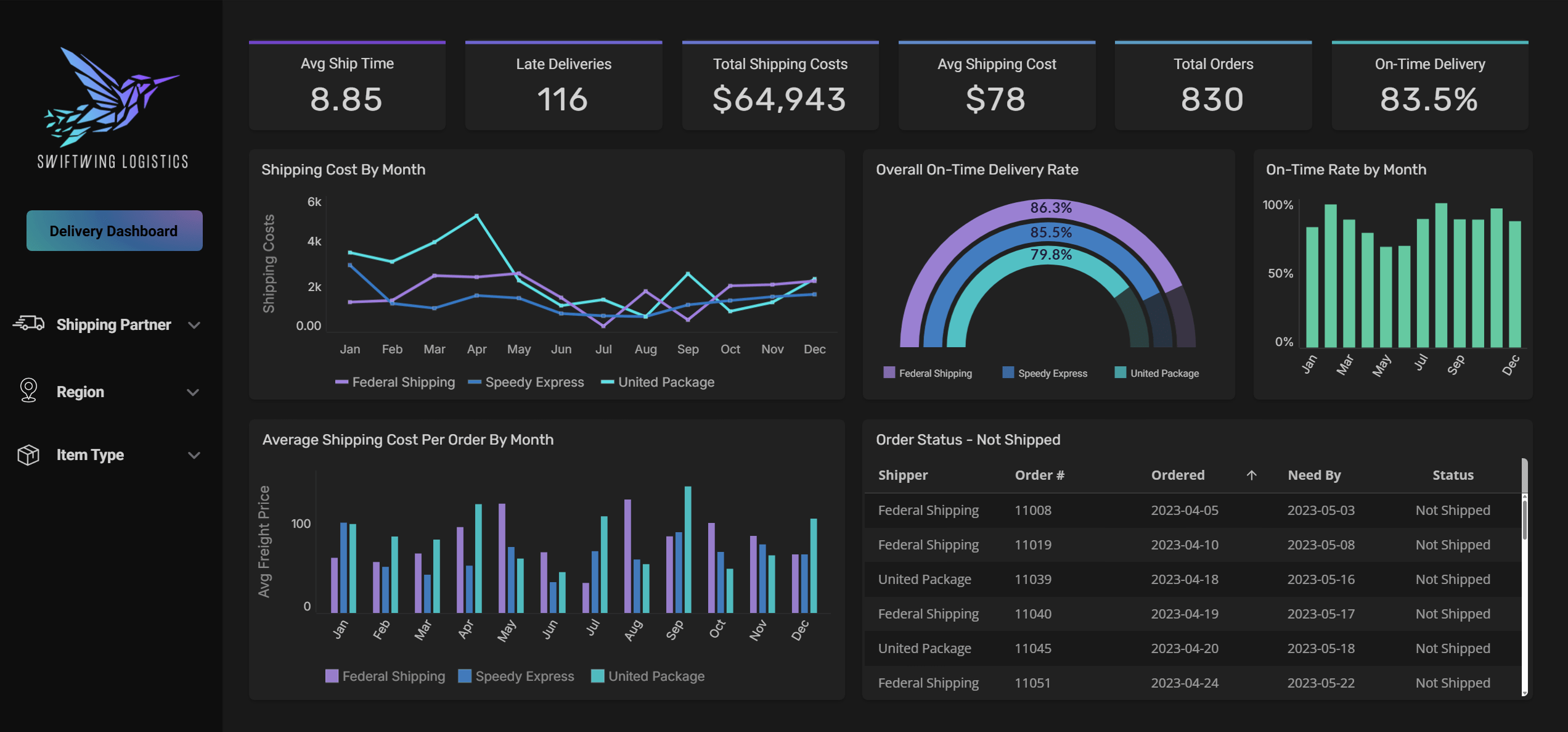
Three regulated-industry replacements that map to this article’s framing:
Switch RCM operates in behavioral health revenue cycle management — a HIPAA-covered, security-sensitive environment. Migration target: Snowflake Data Cloud as the governance and audit substrate, Astrato as the access and action layer.
Gray Decision Intelligence serves higher-education institutions on accreditation-relevant program evaluation — regulated, audited, with non-technical users across faculty and administration. The Sigma / ThoughtSpot / Astrato evaluation is documented in the customer story.
The Astrato fit is honest: strong on the five architectural decisions for commercial compliance-heavy environments, strong on the action layer that retires spreadsheet sprawl, and supported by customer evidence in regulated industries. Honest limitations: no FedRAMP authorization today (so federal and contractor environments with FedRAMP requirements should look elsewhere), and shorter vendor history than IBM, SAP, Microsoft, or Oracle. For most commercial compliance-heavy enterprises, those limitations don’t bind. For some, they do.
FAQ
Can I replace legacy on-prem BI without migrating my data warehouse at the same time?
Yes, and it’s usually the right sequence. Replace BI first, on top of whatever data layer you have (including PostgreSQL, SQL Server, or your existing on-prem warehouse). Modernize the data layer separately. Doing both at once doubles the project’s risk and complexity. Cloud-native BI vendors that support live-query against multiple databases (including PostgreSQL) make this sequencing realistic.
Is SOC 2 Type II enough for a compliance-heavy enterprise?
It’s table stakes for most commercial environments. It’s not sufficient for HIPAA-covered workloads (you’ll also need a Business Associate Agreement and architecture documentation specific to PHI handling), GDPR-relevant workloads in the EU (you’ll need a DPA and residency documentation), or anything federally regulated (where FedRAMP applies). Treat SOC 2 Type II as the minimum filter, not the answer.
How long does a realistic legacy-BI replacement take?
Twelve to twenty-four months for most enterprises. Larger enterprises with deep legacy investment run longer. Plan for at least six months of parallel running, where both the legacy and new BI tools are live. Migrations that promise faster timelines have usually skipped the inventory-and-triage step or the semantic-layer rebuild — both come back as problems later.
What’s the most common reason BI replacement projects fail?
Undocumented business logic in the legacy dashboards. Years of accumulated calculated fields, custom SQL, scheduled scripts, and tribal knowledge that no one wrote down. The fix is to invest in inventory and semantic-layer rebuild before you start rebuilding dashboards. Treat the migration as a logic-extraction project first, a UI rebuild second.
Can my AI-native BI replacement also replace the spreadsheets and side-systems my teams use for operational decisions?
It can, but only if you choose a platform with a native action layer — writeback, forms, triggered workflows — that runs through your warehouse with full audit logging. If your candidate BI tool is read-only by design, your spreadsheet sprawl will survive the migration. If it has the action layer in a separate product (Power Apps, separate workflow engines), you can do it but you’ll be governing two systems, with two licenses, and likely two audit trails. Compliance buyers should treat this as a single decision: BI plus action layer, in one governed envelope.
Ready to experience next-gen analytics?
See how Astrato runs natively in your warehouse.