Embedded BI for Databricks: AI/BI vs. Third-Party in 2026
Databricks AI/BI now embeds dashboards externally. So when do you still need a third-party platform? A decision guide for data platform teams.

You have Databricks. You need embedded analytics. Should you use Databricks AI/BI, or a third-party platform?
Twelve months ago this question barely existed. Databricks was a data platform; embedded analytics was something you bought from a BI vendor. That is no longer true. Databricks AI/BI now embeds dashboards for external users. Genie spaces — the conversational analytics interface — can be embedded as an iframe. Databricks One gives business users a clean entry point into all of it.
So the decision is genuinely different now. Most articles about embedded BI for Databricks were written before this shift. They list third-party tools without acknowledging that Databricks itself is now in the conversation.
This guide takes the question seriously. We will walk through when Databricks AI/BI is the right answer, when you need a third-party embedded analytics platform, and how to choose between the third-party options if you go that route.
TL;DR
Databricks AI/BI is likely enough if: your data lives only in Databricks, your primary use case is internal dashboards or natural language questions for business users, you do not need writeback or operational workflows, and your governance is anchored in Unity Catalog.
You need a third-party embedded BI platform if: you are building customer-facing analytics with serious white-label requirements, your data spans multiple warehouses (Databricks plus Snowflake or BigQuery), your dashboards need to drive operational workflows back into the warehouse, or you need flexibility in which LLM powers your AI features.
What changed in the Databricks BI landscape
Databricks now offers a native business intelligence experience that competes directly with third-party embedded analytics tools. Three releases in particular reshape the decision.
AI/BI Dashboards with external embedding. Databricks AI/BI dashboards can now be embedded into an external website or external application. The embedding flow uses approved domains, OAuth tokens, and service principal authentication, and respects Unity Catalog access controls automatically. Workspace admins control which dashboards are embeddable and which allowed surfaces accept the iframe embed code.
Genie spaces. Genie is the Databricks conversational interface for data — users ask natural language questions in plain English and get back charts, tables, or text answers. Genie spaces are now embeddable as an iframe (in public preview as of recent releases), and Genie Conversation APIs allow embedding into Slack, Microsoft Teams, or a custom external application.
Databricks One. A simplified user interface for business users to view dashboards, ask data questions in natural language, and use Databricks Apps without seeing the technical surface area underneath. Generally available in 2026.
These three together mean Databricks now ships a coherent BI experience — interactive dashboards, conversational analytics, and a business-user front-end — without a third-party tool. That changes the embedded BI for Databricks question. The question is no longer which BI tool should I buy. It is: do I need to buy one at all, and if so, what for?
When Databricks AI/BI is enough
For internal dashboards, conversational analytics, and Databricks-centric data teams, Databricks AI/BI is often the right choice — particularly when Unity Catalog governance is the central concern.
Five scenarios where AI/BI legitimately wins:
1. Internal dashboards for Databricks-native teams. If your team already lives in Databricks notebooks and the SQL editor, having dashboards in the same workspace removes friction. Unity Catalog permissions flow through automatically. No separate tool to administer, no parallel access controls to maintain.
2. Conversational analytics is your main use case. Genie's natural language questions experience is purpose-built for Databricks data. If your goal is letting business users explore data in plain English, Genie does this well, and Databricks One makes the consumption experience clean.
3. Single-warehouse, Databricks-only commitment. If your data lives exclusively in Databricks and you have no plans to add Snowflake, BigQuery, or other sources, the cost of a separate BI tool is harder to justify. AI/BI consumption consolidates with your existing Databricks accounts and Databricks SQL spend.
4. Heavy investment in Unity Catalog metric views. AI/BI is built on Unity Catalog as the source of truth for both data and semantics. Teams that have invested in UC metric views and governed data definitions get the most leverage from AI/BI's deep integration.
5. Limited BI budget, generous Databricks budget. AI/BI consumption runs against Databricks SQL warehouses. Teams who already have committed Databricks spend may prefer to consolidate analytics there rather than add a separate BI line item.
If you fit several of these, AI/BI may cover what you need. If your situation is more complex — particularly customer-facing analytics, multi-warehouse environments, or operational workflows — the next section is where the calculus changes.
When you need a third-party embedded BI platform
Databricks AI/BI has clear limitations for customer-facing analytics, multi-warehouse environments, operational workflows, and pixel-perfect branded experiences. A third-party embedded BI platform fills these gaps.
1. Customer-facing analytics with serious white-label requirements. AI/BI external embedding is generally available, but its branding and customization controls are limited. The dashboard renders inside an iframe with basic styling overrides. If the embedded dashboard needs to feel like a native part of your SaaS product — your fonts, your colors, your CSS, your domain, branded exports to PDF or Excel — AI/BI's customization ceiling becomes a real constraint. Purpose-built embedded analytics platforms ship more sophisticated white-labeling out of the box.

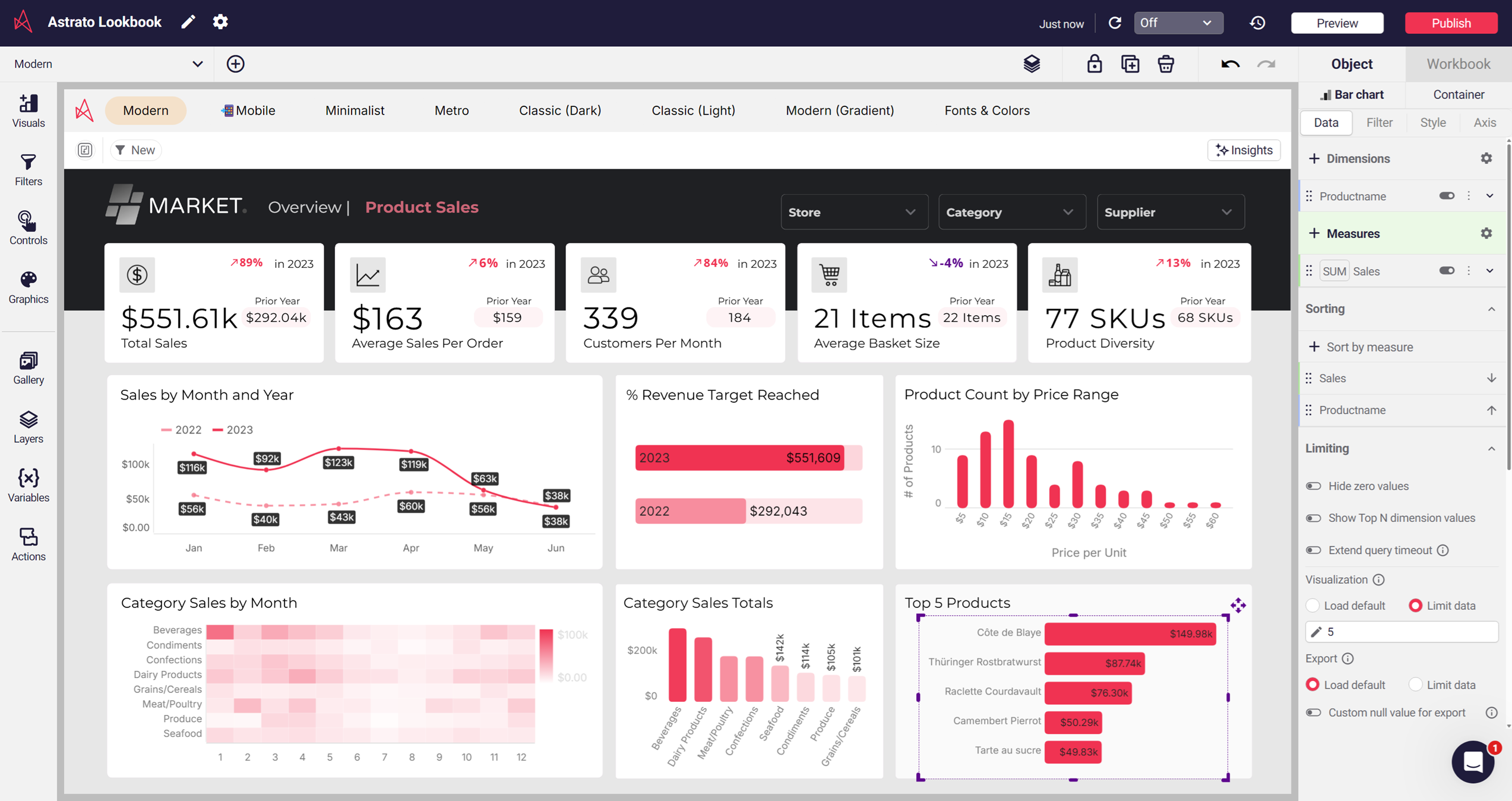
2. Multi-warehouse environments. Most companies do not run on Databricks alone. Many have Snowflake plus Databricks. Some have BigQuery plus Databricks. AI/BI is Databricks-only. A warehouse-native third-party tool like Astrato connects to Snowflake, BigQuery, Databricks, Amazon Redshift, ClickHouse, PostgreSQL, and Supabase — one analytics layer across all of them. If your stack spans warehouses, this is decisive.
3. Operational workflows and writeback. AI/BI dashboards are read-only. They show data; they do not change it. Astrato supports writeback to the warehouse — users can update forecasts, adjust budgets, enter records, or trigger workflows directly from inside a dashboard, with changes syncing back to Databricks under full governance. For SaaS products turning dashboards into action centers, writeback is a different category of capability.

4. Production reporting infrastructure. AI/BI supports tabular email subscriptions, but does not ship full branded reporting. Astrato generates pixel-perfect scheduled reports as PDF, Excel, or PowerPoint, delivered via email or Slack channels. Finance teams sending board decks, customer success teams sharing weekly retention reports, and compliance teams exporting audit-ready visuals all need this.
5. Flexibility in AI and LLM choice. Genie is locked to Databricks' compound AI architecture. Astrato connects to Snowflake Cortex (which gives access to Meta, Claude, DeepSeek, and Mistral models), Google Gemini, OpenAI, or bring-your-own LLM. Teams with specific LLM preferences — for performance, cost, or compliance reasons — get more flexibility from a third-party tool.
6. Visualization breadth and pixel-perfect dashboarding. AI/BI's visualization library is solid but younger than the established BI tools. For visualization-heavy use cases — marketing analytics, financial dashboards, operational control rooms — third-party tools generally have richer chart types, more layout control, and more polished interactive dashboards.
If two or more of these apply to your use case, the case for a third-party embedded BI platform is strong. The next question is which one.
How to evaluate third-party platforms for Databricks
Six dimensions matter when evaluating a third-party embedded BI platform for Databricks.
1. Live-query architecture vs. extract-and-reload. Does the tool query Databricks SQL warehouses live, or does it extract data into its own engine and refresh on a schedule? Extract-based BI defeats the purpose of running on Databricks — you have paid for Databricks compute, you should use it. Live-query tools include Astrato and Sigma. Extract-first tools include Tableau and Power BI (DirectQuery is available but treated as a secondary mode with documented limitations).
2. Unity Catalog awareness. Does the tool inherit Unity Catalog row filters, column masks, and access controls automatically? Or do you have to recreate governance in the BI layer? Astrato respects Unity Catalog permissions natively — security policies defined at the warehouse flow through to the dashboard, no parallel permission model required. Some tools require a separate access management system.
3. Pushdown SQL quality. Does the tool send optimized SQL to Databricks SQL warehouses, taking advantage of Databricks' compute architecture? Or does it generate naive SQL that under-utilizes the platform? Pushdown SQL means only the queries you need run, when you need them — which keeps cost predictable and dashboards fast.
4. Delta Lake support, including Time Travel. Does the tool support Delta Lake reads, including version-as-of and timestamp-as-of queries? Time Travel matters for audit, debugging, and regulated industries — being able to query data as it existed at a point in time is a Databricks-native capability that not every BI tool surfaces. Warehouse-native tools generally support it; legacy BI tools generally do not.
5. AI and LLM flexibility. Can you choose your LLM? Or are you locked into the vendor's choice? Astrato supports Snowflake Cortex, Google Gemini, OpenAI, and bring-your-own LLM. Genie is locked to Databricks' models. Some third-party tools have proprietary AI you cannot substitute. For teams with LLM strategy or compliance constraints, flexibility matters.
6. White-label embedded maturity. Beyond the iframe embed code, what is the customization surface? Custom domains, themes, fonts, CSS, branded exports, multi-tenant security per customer. Vendors built for embedded analytics from day one (Astrato, purpose-built embedded platforms) generally outperform vendors who added embedding later (Tableau Embedded, Power BI Embedded).
Best third-party embedded BI for Databricks
The serious contenders for embedded BI on Databricks include Astrato, Sigma, Tableau, Power BI, Sisense, and Metabase. Each takes a different architectural approach. Here is how they compare.
Astrato

Astrato is a warehouse-native business intelligence platform. It connects directly to Databricks and runs every query live against Databricks SQL warehouses, with no extracts, caches, or refresh schedules.
Unity Catalog permissions are respected natively — row filters and column masks defined at the warehouse flow through to the dashboard automatically. Delta Lake support includes Time Travel queries.
AI and LLM features can be powered by Snowflake Cortex, Google Gemini, OpenAI, or bring-your-own LLM. Pixel-perfect white-label embedding works via iframe embed code or API. Writeback to Databricks is supported, turning interactive dashboards into operational workflows.
As a certified Databricks partner, Astrato is the strongest fit for multi-warehouse environments and customer-facing analytics.
Pros
- Live-query pushdown to Databricks SQL warehouses — no extracts, no refresh schedules, embedded dashboards always show current data
- Pixel-perfect white-label embedding via iframe or API — match your product's fonts, colors, CSS, and domain
- Unity Catalog row filters and column masks inherited automatically — no parallel permission model to maintain across thousands of embedded users
- Writeback to Databricks — embedded dashboards become operational tools, not just read-only views
- Multi-warehouse from one platform — embed from Databricks, Snowflake, BigQuery, and others without separate analytics layers per source
Cons
- Smaller user community than Tableau or Power BI
- Visualization library is narrower than Tableau's
- No on-prem deployment option — cloud-only, which rules it out for air-gapped environments
What users say:
"Very flexible tool with a lot of potential to create new tools beyond simple dashboards. Application customization opens the possibility of building different types of data application allowing a new type of interactive analytics."
Jose V. ↗ Data Analytics Manage
"Dynamic analytics dashboards that comfortably reach data-application levels of functionality. Exceptional customer support, fast UI performance, and straightforward integration with data warehouses."
Charlie T. ↗ Analyst
Sigma Computing

Sigma is warehouse-native with a spreadsheet-style interface that queries live warehouse data. It is popular with analyst-heavy teams comfortable with Excel-style exploration. Sigma supports Databricks as a connected source and has invested in writeback capabilities through input tables.
Embedded analytics is a more recent product line for Sigma than core dashboarding.
Pros
- Live-query architecture — embedded dashboards run on Databricks SQL warehouses, no extract layer
- Spreadsheet-style interface familiar to Excel users — short learning curve for analyst-built embedded views
- Input tables enable basic writeback — users can edit data inside embedded dashboards
- Strong with warehouse-native governance — respects warehouse-defined access controls
- Investing actively in embedded analytics — capability gap with purpose-built embedded tools is closing
Cons
- Embedded analytics is a newer product line than core dashboarding — feature depth trails Astrato and Sisense for customer-facing use cases
- Spreadsheet UX can feel unfamiliar to non-Excel users — embedded end-customers may struggle
- Visualization presentation quality trails design-focused platforms — embedded dashboards look more "analyst tool" than "polished product"
- White-label customization more limited than purpose-built embedded tools — branded experience requires more workarounds
- Pricing model can become expensive at scale for external users — per-embed costs add up across thousands of customers
What users say:
“I like that it’s very easy to integrate, whether you use iframes or the SDK, and that you don’t have to code everything from scratch—you can simply bring the power of Sigma into your application.”
Ibrahim A. ↗ Analytics Engineer
“The dashboard/site could use with some personality and flair. The drab black/white can be somewhat monotonous. Offering classes/tutorials for how to find certain data sets, and analyze your results would be a huge bonus.”
John B. ↗ Area Manager
Tableau

Tableau has a mature visualization library and deep Salesforce ecosystem integration. It connects to Databricks but operates as an extract-first tool by default — DirectQuery is available as a secondary live-query mode but with documented trade-offs in performance and feature support.
Tableau Embedded is available through Tableau Cloud or Tableau Server.
Pros
- Embedded dashboards can render almost any chart type
- Your customers may already recognize and trust the Tableau experience
- Tableau Embedded supports OEM and customer-facing analytics through Tableau Cloud or Server
- Salesforce ecosystem integration — relevant if your stack runs on Salesforce
- Established embedded analytics partner network
Cons
- Extract-first architecture by default — DirectQuery is a secondary mode with documented performance and feature limitations on Databricks
- Embedded customization more limited than purpose-built tools — branding feels Tableau-shaped, not product-shaped
- Per-embed pricing scales steeply for customer-facing analytics — costs become a constraint past a few thousand external users
- Extracts under-utilize Databricks compute — you've paid for Databricks SQL, then paid Tableau to copy the data out
- Tableau Server requires significant infrastructure overhead if self-hosted for embedded use cases
What users say:
“I especially value its ability to connect to multiple data sources and create interactive visualizations, which allows me to monitor key metrics and present clear, data-driven insights to stakeholders. It simplifies the process of building dashboards without needing complex configuration or coding.”
Vinay P. ↗ Mechanical Design Engineer
“Tableau’s high licensing costs and steep learning curve for complex calculations are major drawbacks. Ease of implementation suffers with messy data, and while customer support is solid, frequent use reveals rigid formatting options and performance lags on unoptimized, large datasets.”
Mohsan A. ↗ Cyber Security Sales Specialist — UK&I
Power BI
Power BI is the natural choice for teams committed to the Microsoft ecosystem — Azure, SQL Server, Microsoft Teams, Microsoft 365. It connects to Databricks via DirectQuery for live queries, but DirectQuery has documented constraints: a one million row return limit per query, slower performance on large datasets, and feature limitations like no automatic date hierarchies. Power BI's newer Direct Lake mode only works within Microsoft Fabric's OneLake, not Databricks.
Pros
- Lowest entry-cost embedded option for Microsoft-stack customers — Power BI Embedded capacity-based pricing works for low-volume embedding
- Deep integration with Microsoft Teams, Microsoft 365, and Azure services — natural fit for Microsoft-centric customers
- Recognized brand — embedded users often recognize and trust the Power BI interface
- DirectQuery enables live querying against Databricks — no full extract required for every embed
- Automated insights and Microsoft Copilot AI — basic conversational analytics built in
Cons
- DirectQuery has hard limits — one million row return per query, slower performance on large datasets, no automatic date hierarchies
- Direct Lake mode only works inside Microsoft Fabric's OneLake — not available when your data lives in Databricks
- Outside the Microsoft ecosystem the integration story gets complicated — multi-cloud or non-Microsoft customers see friction
- DAX formula language has a real learning curve — embedded analytics development takes longer than no-code platforms
- Embedded customization sits below purpose-built tools — Microsoft branding bleeds through more than buyers expect
What users say:
“I consider that Power BI has a friendly interface and is very easy to use. The drag and drop function makes it easy for me to create interactive reports. This shows visual appeal without having to have technical skills in this program.”
Aneurys Nicanor A. ↗ Project Manager
“There is nothing that I dislike, but managing user permissions can be complex and then unintentionally denies access to embedded reports for authorized team members.”
Ramy S. ↗ Analytics Team Manager
Sisense

Sisense positions itself as an analytics platform for embedded analytics, with a developer-focused Compose SDK for building deeply customized embedded experiences in code. Historically extract-based via its proprietary Elasticube engine, Sisense has added hybrid live-query options.
Pros
- Compose SDK gives developers fine-grained control — best fit for teams that want to build deeply custom embedded experiences in code
- Mature embedded analytics product — Sisense has been an embedded-first vendor for over a decade
- AI-driven insights, anomaly detection, and prescriptive analytics built in
- Strong handling of complex data models — works well with multi-source embedded scenarios
- Established partner ecosystem for embedded implementations — many specialists available
Cons
- Elasticube architecture is extract-based by default — predates the lakehouse era and under-utilizes Databricks SQL warehouses
- Heavy engineering investment required — Compose SDK rewards developer teams but punishes lean teams
- Long implementation timelines — typical embedded deployments take longer than purpose-built no-code tools
- Pricing sits at the higher end of the market — entry cost can be prohibitive for early-stage SaaS
- Live-query is a hybrid bolt-on rather than a native architecture — performance trails warehouse-native embedded tools on Databricks
What users say:
“Sisense offers developers an intuitive interface. Building models (live and elastic) is easy and straightforward. Basic capabilities are easy to learn and adapt. There is a range of widgets to choose from. I'm personally a fan of Blox given its versatility.”
Priscilla R. ↗ Senior BI Developer
“Sometimes large datasets take a little longer to refresh, and a few advanced customization options require more technical knowledge. Adding more built-in visualization styles would also make dashboard creation even easier.”
Lokesh K. ↗ Machine Learning Engineer
Metabase
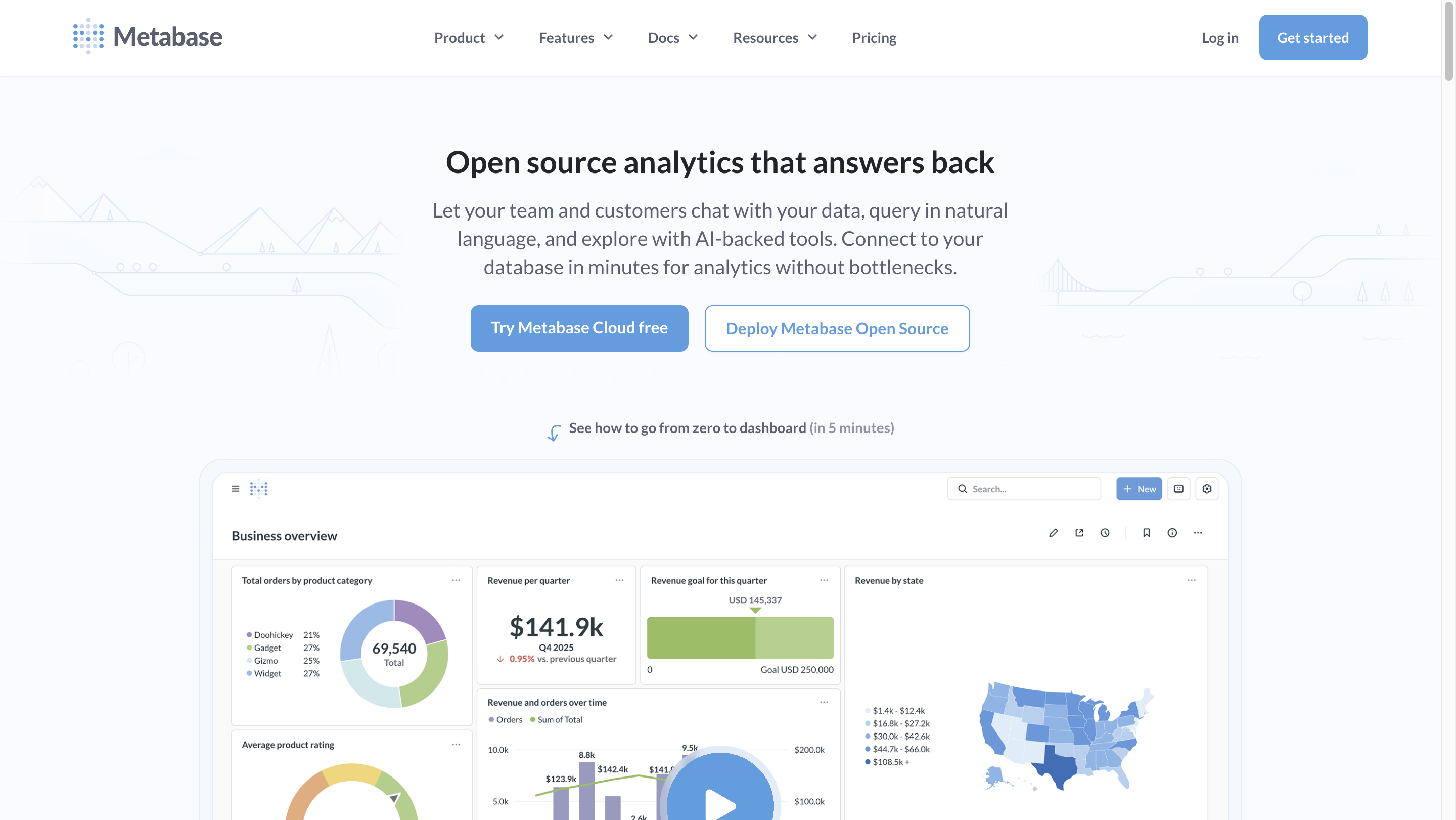
Metabase is an open-source embedded analytics platform with a generous self-hosted free tier and a cloud option starting around $85/month. It works well for early-stage SaaS teams adding their first embedded dashboards. The no-code query builder and basic embedding cover the fundamentals.
Pros
- Open-source self-hosted option is free — lowest possible entry cost for first-time embedded analytics
- Cloud version starts around $85/month — affordable for early-stage SaaS embedding
- No-code query builder is genuinely simple — short time to first embedded dashboard
- Live-query against Databricks SQL warehouses works out of the box
- Wide community and strong documentation — easy to find help
Cons
- No semantic layer — metric definitions live in dashboards, leading to "which embedded dashboard is right?" debates as you scale
- No writeback — embedded dashboards stay read-only, limiting operational use cases
- No production-grade branded reporting — exports are basic, no scheduled PDF/Excel/PPT delivery
- Basic governance — multi-tenant security per embedded customer requires significant manual setup
- Teams typically outgrow it — works for first 100 embedded customers, breaks down at enterprise scale
What users say:
"I love the Question feature of Metabase, which allows for the creation of no-code SQL queries that can be easily and intuitively answered even by non-technical users."
Tobias S. ↗ Sr. BI Manager
"I find that Metabase could benefit from having an AI assistant that understands the databases and assists in building queries. This feature would significantly ease the process of creating data consultations without any SQL knowledge."
Matias D. ↗ CRM & Lifecycle Manager
A decision framework
Choosing between Databricks AI/BI and a third-party embedded BI platform comes down to four questions about your use case.
Pick the answer that fits your team in each question. Your recommendation builds as you go.
If your answers point consistently toward third-party for embedded analytics on Databricks, Astrato is a strong starting point — built warehouse-native, purpose-designed for customer-facing analytics, and the broadest connectivity for multi-warehouse environments.
See how Astrato connects to Databricks · Book a demo
Frequently asked questions
Can Databricks AI/BI dashboards be embedded for external customers?
Yes — external embedding for AI/BI dashboards is generally available. The embedding flow uses approved domains, OAuth tokens, service principal authentication, and respects Unity Catalog access controls. Branding and white-label customization are more limited than third-party platforms purpose-built for embedded analytics.
Does Genie work with non-Databricks data?
No. Genie is built on the Databricks compound AI architecture and uses Unity Catalog for semantic context. It works only with data accessible through Unity Catalog. Teams with multi-warehouse environments need a third-party AI BI layer.
What is the difference between Databricks AI/BI and Tableau on Databricks?
Databricks AI/BI is native to the Databricks platform — it runs on Databricks SQL warehouses with Unity Catalog governance built in. Tableau is a third-party BI tool that connects to Databricks. AI/BI's architectural advantage is governance and compute integration. Tableau's advantage is visualization breadth and existing user familiarity.
Can a BI tool query Delta Lake's Time Travel feature?
Some can; most cannot. Time Travel queries require the BI tool to support Delta Lake's VERSION AS OF and TIMESTAMP AS OF SQL syntax, plus the UI to surface it. Warehouse-native tools like Astrato support this. Legacy BI tools generally do not.
What is the most cost-effective embedded BI for Databricks?
It depends on scale. Metabase open-source is the cheapest entry point. Databricks AI/BI consolidates with existing Databricks spend. For customer-facing or multi-tenant deployments at scale, purpose-built embedded platforms like Astrato become more cost-predictable than per-seat licensed BI.
Ready to experience next-gen analytics?
See how Astrato runs natively in your warehouse.