
This month's releases focus on a theme that runs through everything we ship at Astrato: giving dashboard builders control without taking freedom away from their users. From filters that enforce guardrails to login pages that erase third-party branding, the February updates deliver practical improvements that compound across every dashboard you build.
1. Always One Selected Fields
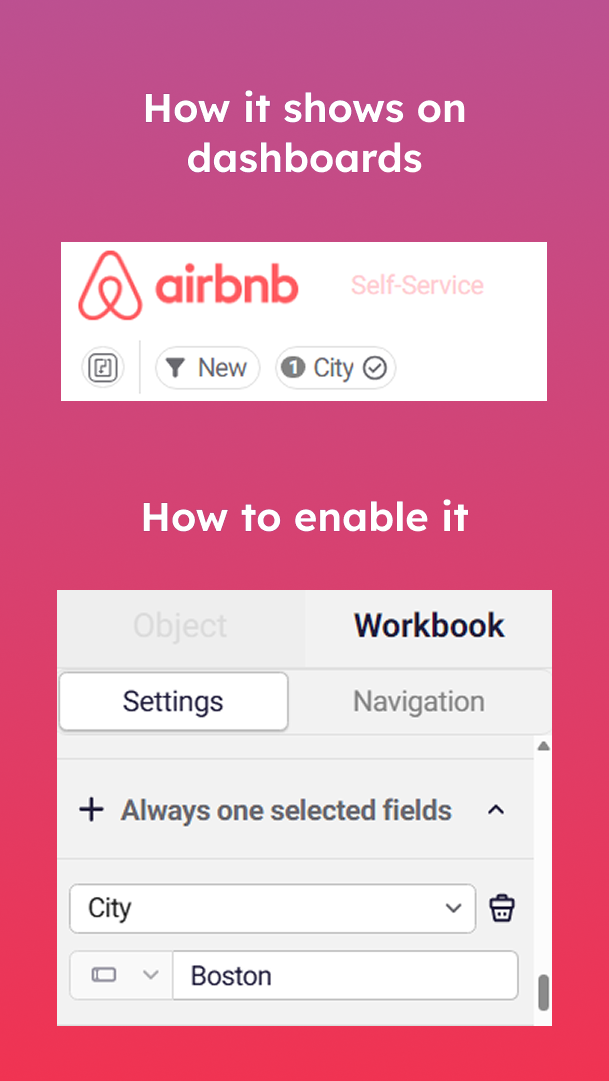
A user deselects all filter values, and the dashboard floods with unfiltered data — every region, every product, every date range at once. It's overwhelming. Multiply that across hundreds of self-service users and unfocused views erode trust in the analytics just as fast as broken ones.
Always One Selected Fields lets dashboard builders enforce that at least one value remains selected in any filter control. Users retain full freedom to explore — they simply cannot remove all selections and lose focus. The dashboard always shows relevant, scoped data.
For IT directors enforcing BI governance, this eliminates one of the most common self-service frustrations. For OEM teams shipping embedded analytics, it is non-negotiable: your customers should always see the data that matters to them, not everything at once. And for analysts building self-service dashboards, it means fewer support tickets and more trust in the data.
2. Locked Filters
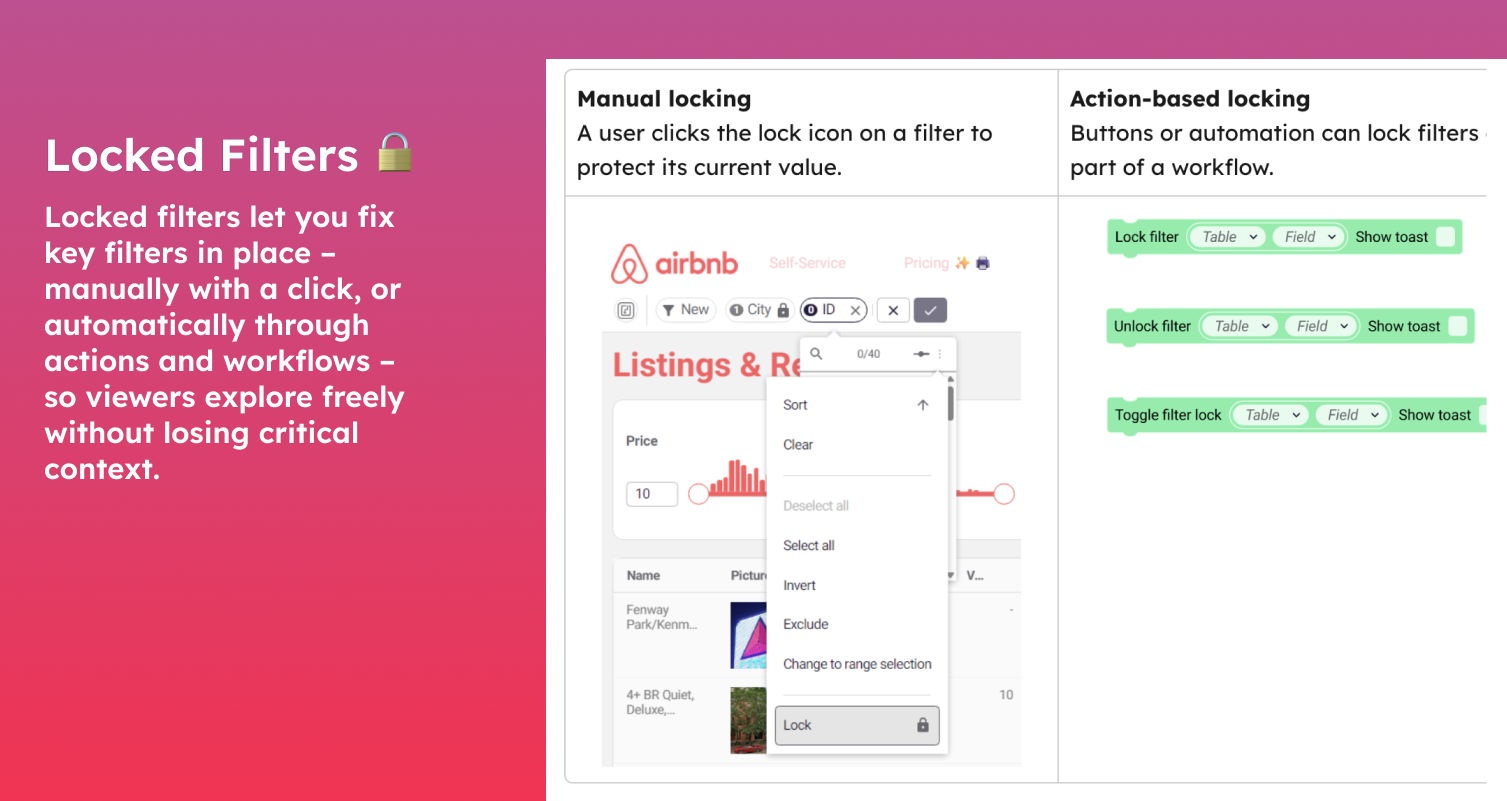
Self-service analytics works until someone changes a filter they should not have touched. Locked Filters gives dashboard builders fine-grained control over which filter controls are visible and modifiable by end-users, and which are fixed.
The highest-impact use case is multi-tenant embedded analytics. Instead of maintaining a separate dashboard per customer, you build one master dashboard and lock the tenant-specific filter. Each customer authenticates, the filter scopes to their data, and they explore freely within those boundaries. One dashboard replaces dozens. Maintenance costs collapse.
In regulated industries, locked filters serve a different purpose: compliance and finance teams can ensure date ranges, entity scopes, and classification levels cannot be inadvertently changed during analysis. CIOs get auditable data boundaries. The data stays within authorised limits regardless of who is exploring.
3. Maps, more ways
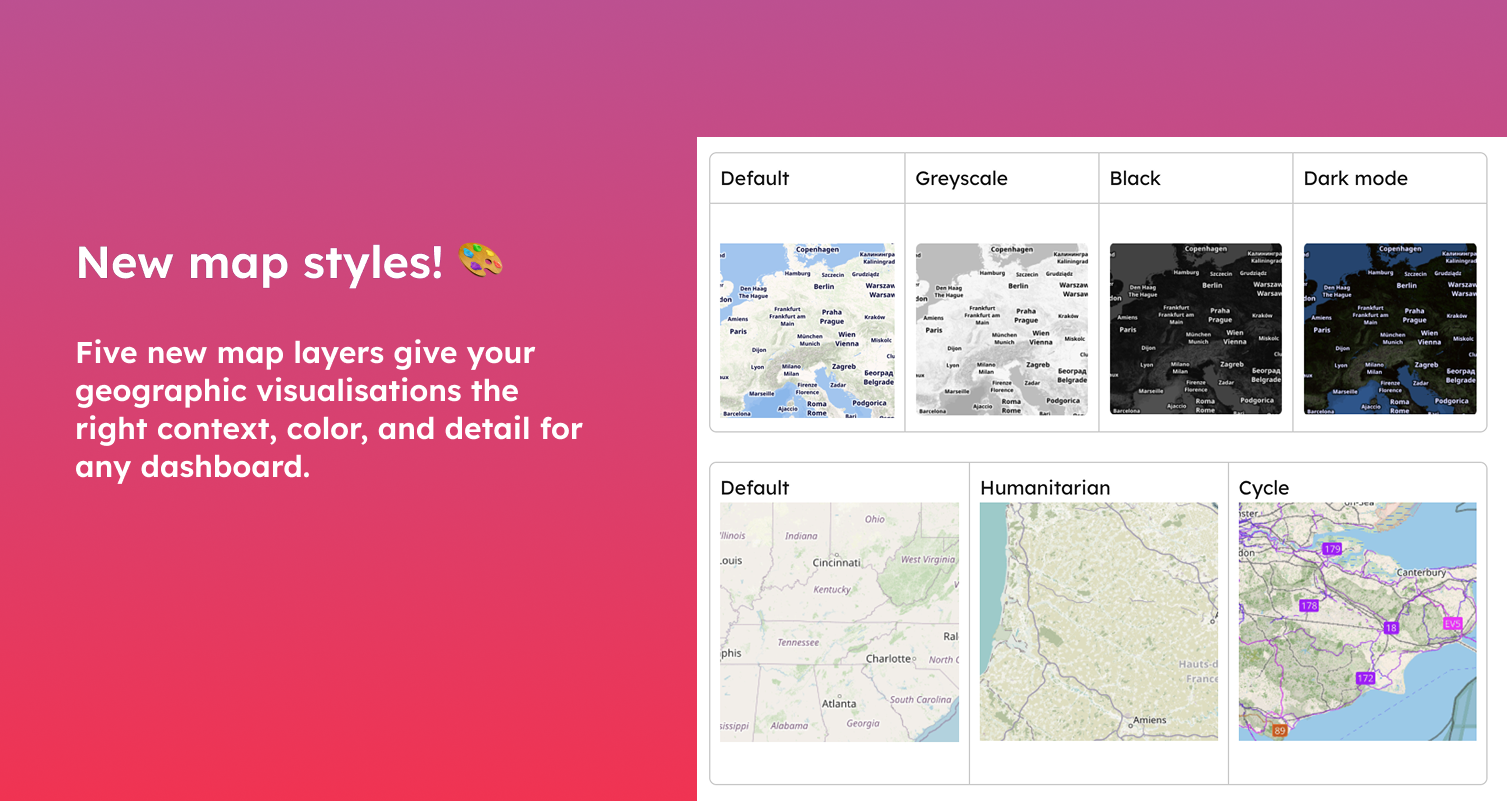
New Map Styles let you choose the right geographic context and the right color for your dashboard .
Five new options range from colour treatments (default, greyscale, dark) to entirely different map layers with their own reference points and points of interest. A fleet management dashboard needs different context than a humanitarian field report. Pick the layer that surfaces the landmarks your audience actually cares about.
4. Versioning: Outdated Draft Detection
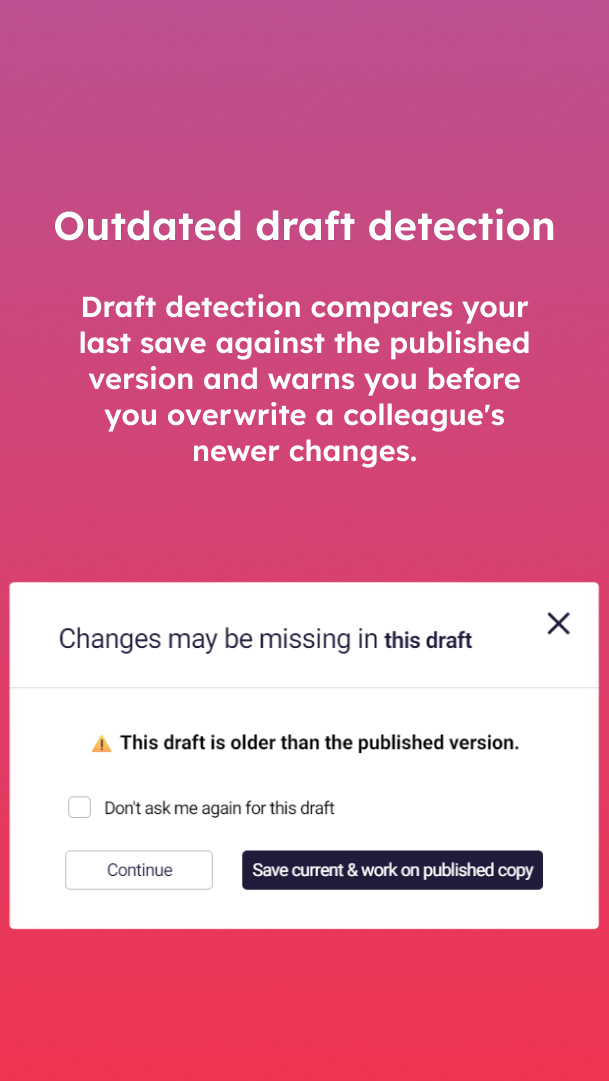
Collaborative dashboard development has a classic failure mode: two people edit the same workbook, one publishes, the other saves a stale draft over the top. Hours of work disappear, and the team only discovers it when something breaks in the published version.
Outdated Draft Detection compares draft and published timestamps and warns the editor when their draft is behind the current published version. It does not block the save — it simply surfaces the conflict so the editor can make an informed choice. For any organisation with multiple dashboard builders or a draft/publish workflow, this is the kind of small safeguard that prevents disproportionately expensive mistakes.
5. Conditional Coloring: Variable Support & String Matching
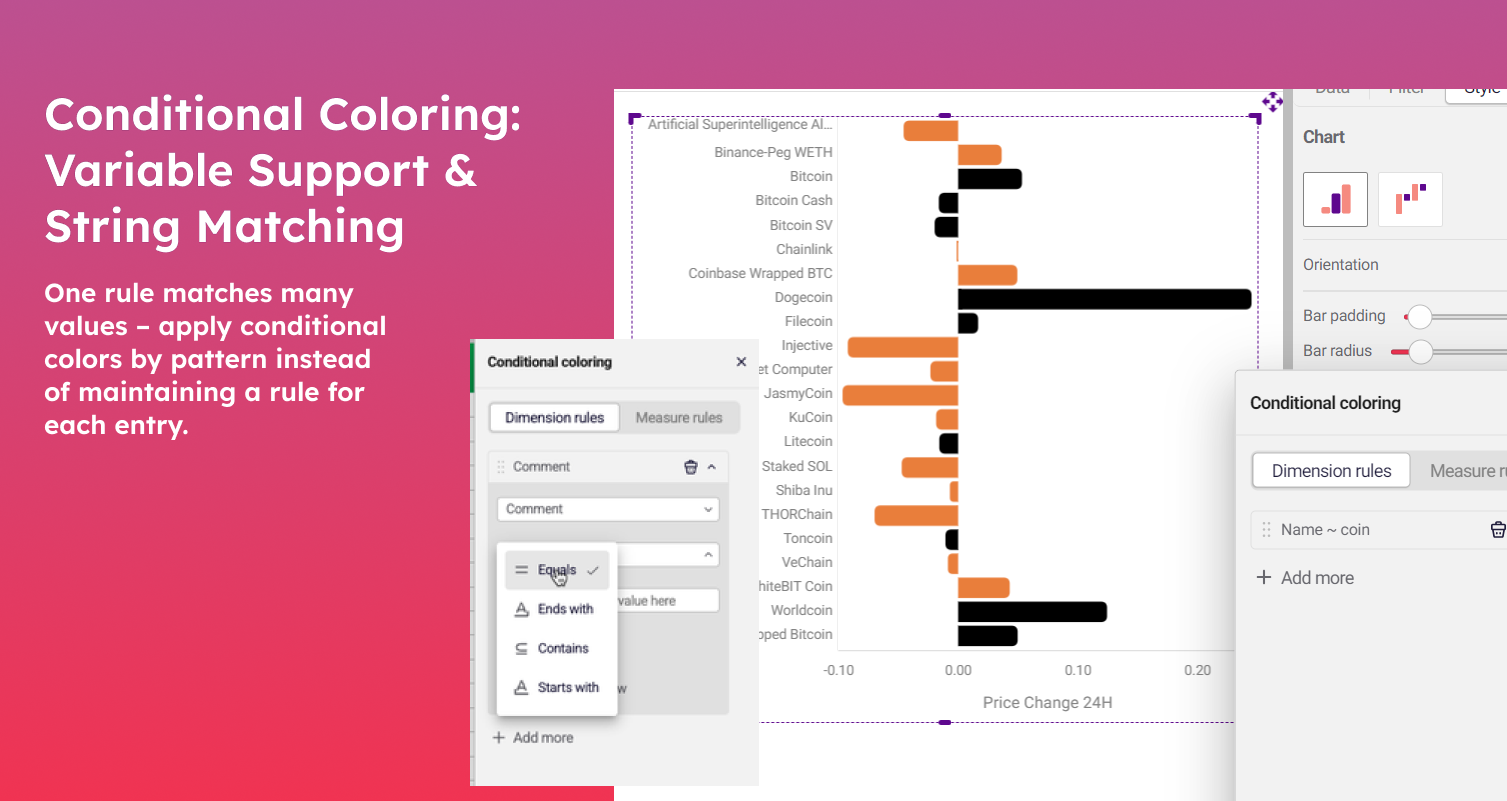
Conditional Coloring now supports flexible string matching and Astrato variables.
Previously, applying colour to text values meant writing a separate rule for each one. Ten product lines, ten rules. With new pattern operators — contains, starts with, equals — a single rule covers them all. New values that match the pattern pick up the right colour automatically, with no maintenance required.
Variable support adds another dimension: formatting now responds dynamically to runtime selections. When a user changes a variable, the colours update with it — no chart editing needed. For analysts building performance dashboards and business leaders monitoring KPIs, the result is formatting that scales with your data more efficiently.
6. Unbranded Login Page
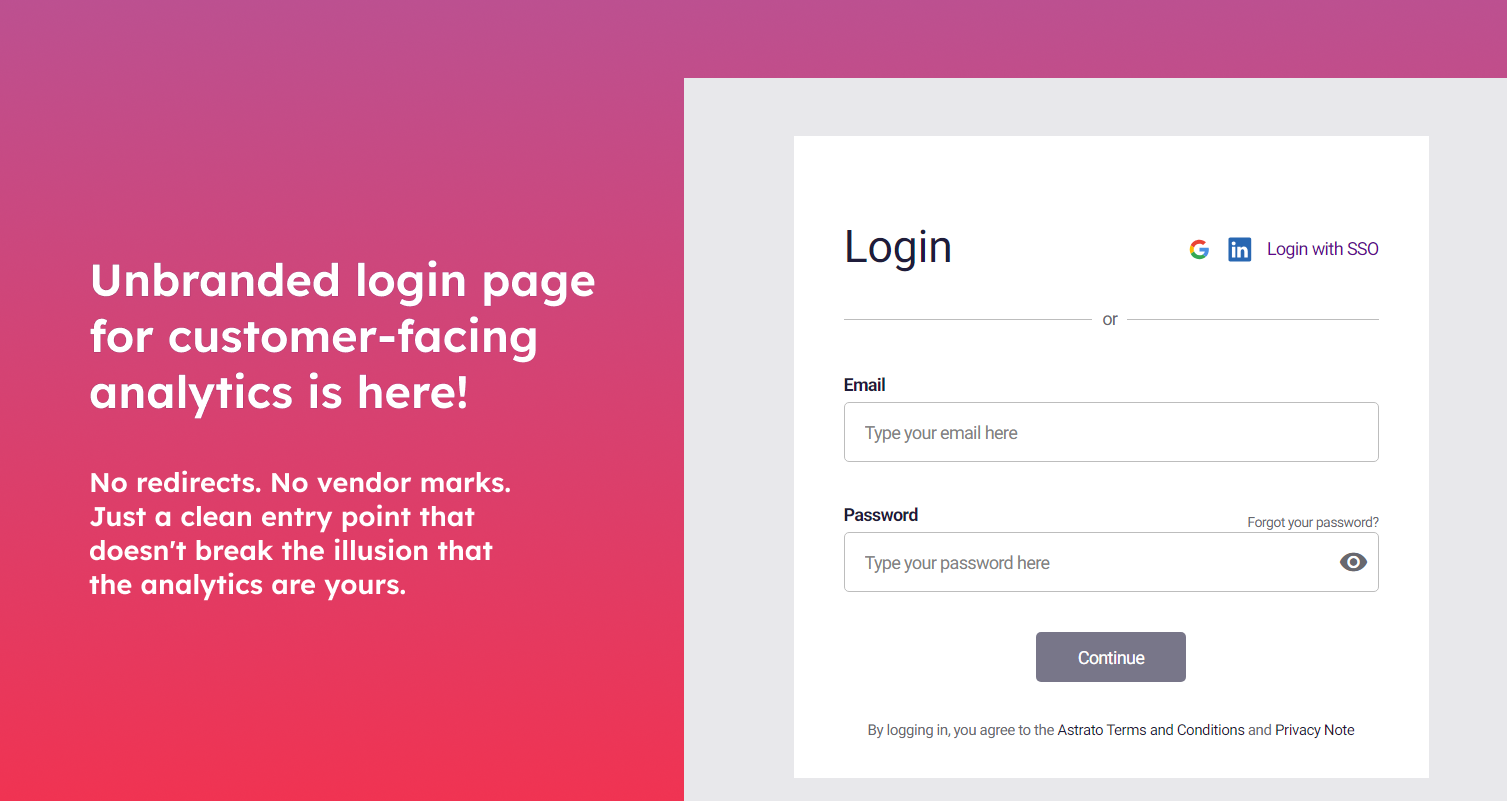
Your customers don't need to know your analytics vendor. For embedded analytics providers, the authentication screen has historically been the one place vendor branding leaked through.
Astrato now offers a fully unbranded login page for customer-facing deployments. No Astrato logos. No third-party references. Your customers authenticate through a page free of vendor marks. For OEM partners and SaaS founders, the implications are significant: combined with Locked Filters and the Global Parameters feature (also new this month), the entire pipeline — unbranded login, personalised data scoping, governed exploration — now runs from a single platform.



.avif)


