Astrato vs Sigma: Which BI Platform Is Better for Modern Data Teams in 2026?
Astrato vs. Sigma Computing. A spreadsheet-based tool against warehouse-native live-query BI in modern data and embedded analytics use cases.

Astrato vs Sigma: Which BI Platform Is Better for Modern Data Teams in 2026?
Your engineering teams spent months migrating to Snowflake, BigQuery, or Databricks. Your modern data stack is ready, governance is tight, and your cloud data warehouse is finally the single source of truth.
So why does your BI layer still feel like it belongs in 2015?
You start looking for cloud native business intelligence tools that actually match the architecture you have already built, and two names keep popping up:
Astrato Analytics and Sigma Computing.
Both are warehouse-native. Both promise to eliminate the old extract-and-reload headaches.
But by now, the question has changed from “Who can query my data fastest?” to “Who can make my data useful, safe, and actionable for everyone?”
And, indeed, when you look under the hood, these platforms serve very different users and take different approaches to what analytics should actually do.
Let’s break down Astrato vs Sigma across architecture, self service analytics, embedded and customer facing analytics, AI capabilities, reporting, governance, and cost.
If your team is evaluating BI tools for a warehouse-centric world, this article will help you decide which platform you should go with.
Quick Comparison: Astrato vs Sigma
What Is Astrato?
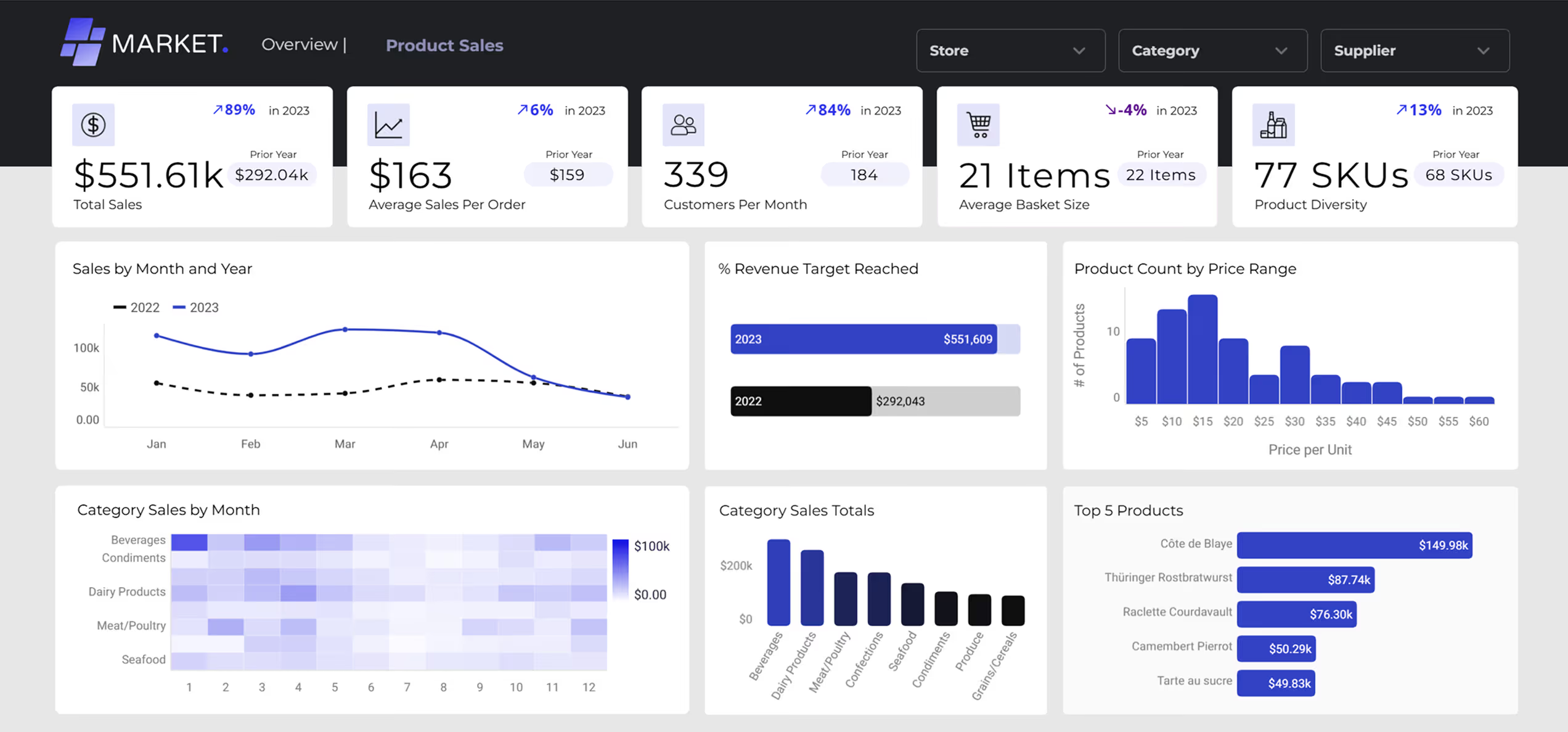
Astrato is a warehouse-native BI platform that runs analytics directly on your data warehouse. It connects directly to Snowflake, BigQuery, Databricks or any other major cloud warehouse and executes every query through a live query pushdown model, meaning zero data duplication, no extracts, and no staged execution layer between your dashboards and your data. In short, Astrato delivers insights where your data already lives.
What makes Astrato different from most BI tools is its combination of a no-code visual interface (accessible to non technical users), a centralized semantic layer, native writeback capabilities that turn dashboards into interactive data apps, and pixel-perfect embedded analytics designed for customer facing analytics and SaaS products.
It is built for teams that think in models, governance, and architecture, not just charts.
What Is Sigma?
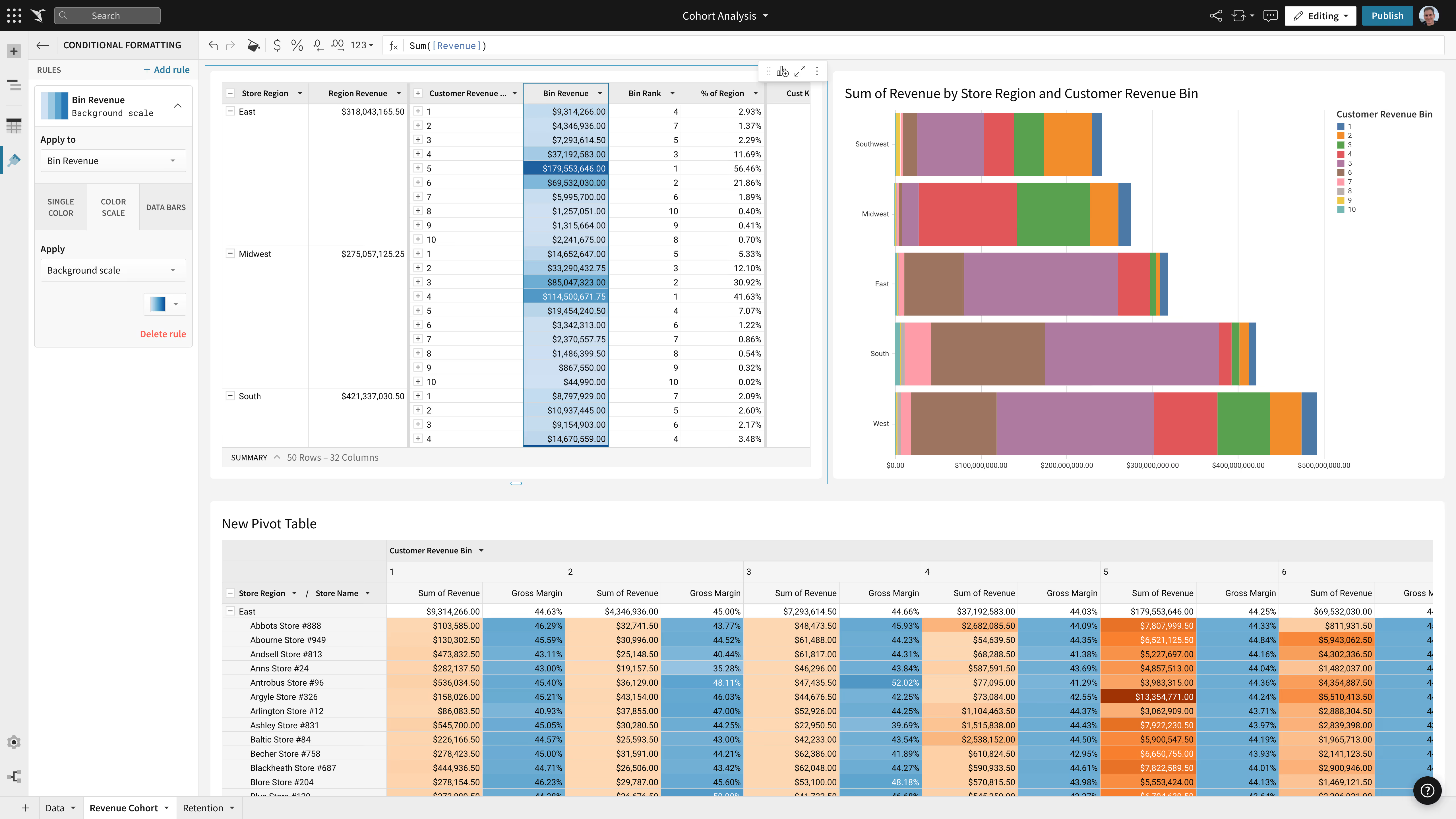
Sigma Computing is a cloud native analytics platform that uses a spreadsheet-like interface to let users explore live data from cloud warehouses. It was built with analysts in mind, giving them a familiar grid environment where they can write formulas, build workbooks, and run ad-hoc analyses without needing SQL.
Sigma has earned a loyal following among data analysts and Excel power users who want a more capable tool for exploration. It integrates with Snowflake and other cloud warehouses, supports input tables for basic writeback, and has recently invested in materialization features and AI capabilities.
Its strengths lie in analyst-driven self service, though its spreadsheet-first approach creates trade-offs around dashboard design, broad user adoption, and embedded use cases.
Architectural Differences: Pure Pushdown vs Optional Materialization
Data Execution Model
Both Astrato and Sigma query the warehouse directly, but their approaches diverge when workloads get complex.
Astrato uses a pure pushdown model where all queries execute on-demand in the warehouse. You only pay for actual user queries, there are no background refresh jobs, and data is always real-time. The warehouse handles compute, caching, and optimization natively.
Sigma also runs live queries by default, but offers optional materialization using Snowflake Dynamic Tables for complex workloads. This means someone on your team needs to decide when to materialize versus query live, adding operational overhead.
Materialization refresh jobs consume warehouse compute, and while Sigma skips refreshes when data has not changed, you are still managing a scheduled process that introduces latency.
Users on G2 have flagged unpredictable costs as a concern, noting that because compute scales automatically, it is not always clear how certain actions affect spending.
"What I don’t like about Sigma Compute is that costs can feel unpredictable at times, especially for teams running heavy or frequent queries without tight usage controls. Because compute scales automatically, it’s not always clear how certain actions impact spending, which can make budgeting tricky."
Tiwari S. — Systems Integration Assistant
Semantic Modeling & Reusability
Ask any BI leader where analytics goes wrong, and you’ll hear the same answer: too many versions of the truth.
Every department builds its own KPIs, metrics drift, and reconciliation meetings eat more time than analysis.
That’s why the semantic layer, the shared definition of business logic, has become the new battleground for modern BI.
Both Astrato and Sigma tackle it differently: one visually, one through code.
Astrato treats semantic models as a governed, visual experience, not a side project for data engineers.
Its modeling canvas supports multi-fact schemas, meaning you can connect multiple tables (sales, customers, regions, products) without flattening them into a single dataset.
Automatic join suggestions simplify relationships, while color-coded validation (green = perfect, amber = check) helps teams spot issues before they break dashboards.
At scale, this becomes a collaboration layer between data engineers (who define structure) and analysts (who build dashboards).
Key advantages include:
- One governed semantic layer feeding multiple workbooks — no duplication or rework.
- AI-assisted measure generation in plain language (“Show me revenue per customer over time”).
- Integration with dbt and other semantic layers, so definitions built upstream flow straight into Astrato.
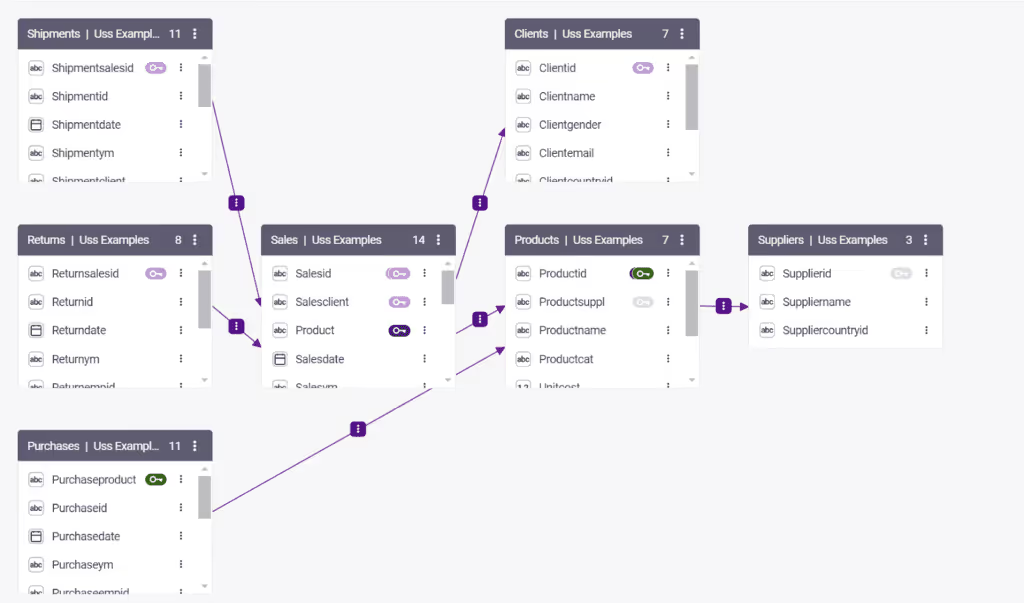
The result is consistency, reuse, and confidence. When everyone sees the same number, discussions move from ‘is it right?’ to ‘what do we do about it?’.
Sigma’s data modeling philosophy is straightforward: each workbook has its own dataset.
That simplicity makes setup easy and exploration fast: analysts can define relationships or metrics directly in the workbook. But at scale, that approach introduces friction.
Duplication creeps in as teams rebuild the same joins and calculations across dashboards. Complex joins or multi-fact logic often require manual SQL or YAML editing.
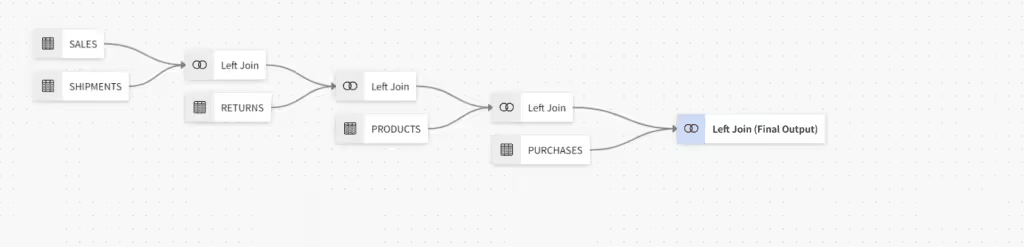
Sigma’s Data Models feature has improved governance, allowing reusable datasets and shared logic, but the system still orbits around individual workbooks rather than a centralized semantic layer.
It’s flexible, just not unified.
Governance and Logic Location
Astrato inherits all security policies directly from the data warehouse. Row-level and column-level policies apply natively, so there is no policy duplication between the BI layer and the database. Astrato also provides enterprise-grade granular governance with
- Field-level permissions,
- Content approval workflows,
- Audit log integrations, and
- Built-in multi-tenant isolation.
It is SOC 2 Type II and ISO 27001 certified, which matters for enterprises and compliance-sensitive industries.
Sigma relies mainly on warehouse permissions for security, which is a reasonable starting point. But its governance model has been described as good but not granular. Audit logs require manual export, and multi-tenant capabilities are limited. For teams at scale who need fine-grained access control and automated compliance workflows, this gap becomes a real bottleneck.
Performance and Cost Predictability
Astrato’s architecture stays deliberately transparent: every query runs directly in your warehouse, using its compute, cache, and role-based permissions. There are no shadow tables, middle layers, or surprise jobs running in the background.
In a real customer benchmark, 6 billion+ rows returned in 1.3 seconds on a medium Snowflake warehouse — and that result wasn’t cached locally, but leveraged Snowflake’s native result cache.
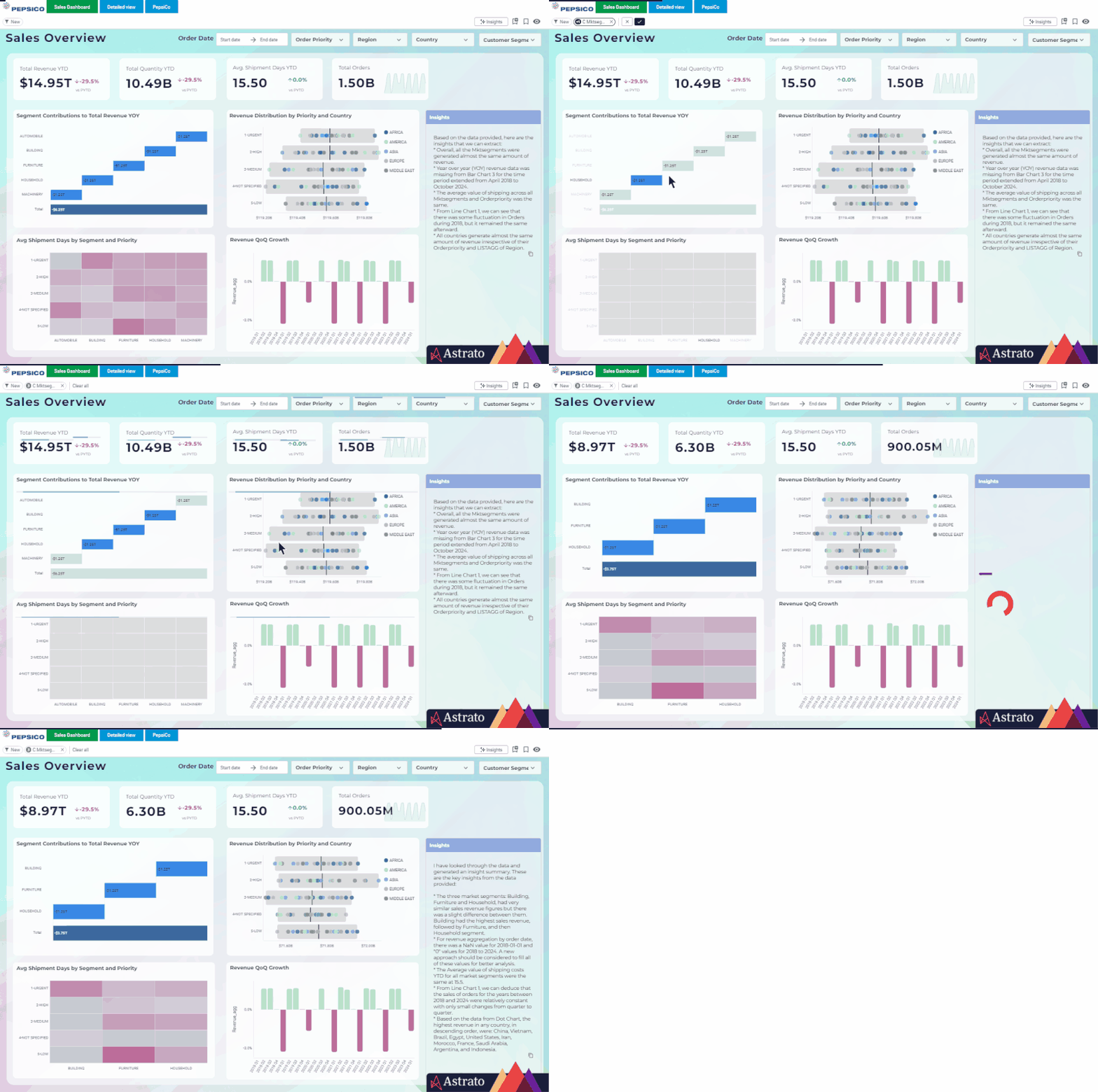
Because Astrato avoids replication, performance scales linearly with warehouse size — you can tune cost and speed the same way you already manage Snowflake workloads.
With Astrato, cost transparency is straightforward. All compute runs in your warehouse, queries fire only at runtime when a user interacts with a dashboard, and there are no hidden infrastructure costs. The usage based model maps directly to warehouse consumption.
Instead of charging per seat, Astrato aligns cost with actual usage — compute, access, and value delivered.
Three main tiers cover the spectrum of users:
- Creator: full authoring, modeling, and AI access.
- Explorer: interactive dashboard and report exploration.
- Viewer: governed consumption, perfect for embedded analytics.
Volume-based pricing means you can expose analytics to thousands of customers in your SaaS portal without paying per viewer license.
Sigma’s Dynamic Tables bring an intelligent caching layer that can accelerate dashboards for teams running frequent queries on large datasets.
They pre-compute and store query results inside Snowflake, trading live freshness for speed.
- Pro: dashboards render fast, even with heavy concurrency.
- Con: compute runs on refresh, not on demand, so every scheduled update consumes Snowflake credits whether someone views the dashboard or not.
Sigma offers controls to manage these refresh intervals, and for organizations with stable, repeatable workloads (e.g., daily KPIs or month-end reports), this can be efficient. However, the model requires ongoing tuning, balancing refresh frequency, table size, and concurrency settings.
In other words, Sigma’s architecture rewards teams willing to manage refresh cycles, but less so those needing spontaneous exploration at scale.
On the costs side, Sigma continues to follow the traditional BI pricing playbook: per-creator and per-viewer licensing, with additional fees for AI, advanced governance, and scheduled reporting.
This model works well for centralized analytics teams where the number of authors and consumers is known and stable.
However, for organizations embedding analytics into customer portals or distributing dashboards to thousands of light viewers, costs can grow exponentially. To Sigma’s credit, the model brings predictability for departmental use and aligns neatly with procurement processes already in place at many enterprises.
But in customer-facing scenarios, the economics get tricky: each new viewer counts as another license, even if they only log in once a month.
Sigma's cost structure has drawn criticism from users. One G2 reviewer, a company director, put it bluntly: the platform cost heavily and prices kept rising with every use. Another use, a data analyst noted:
"Sigma's literal data handling approach can lead to substantially higher cloud warehouse costs if not managed carefully. The platform requires more compute resources to execute operations compared to alternatives."
Cooper S. — Data Analyst
Sigma’s structure reflects a more traditional analytics footprint – efficient for internal teams, less so for scaled, embedded, or AI-driven environments.
Use Case Comparison
Customer Facing Analytics and Embedded BI
This is where the two platforms diverge most sharply, and where Astrato has a clear edge.
Astrato was designed with embedded analytics as a first-class capability. You can embed fully branded dashboards via iframe or API, match your product's fonts, colors, and layouts without code, and deliver white-labeled experiences that feel native to your application.
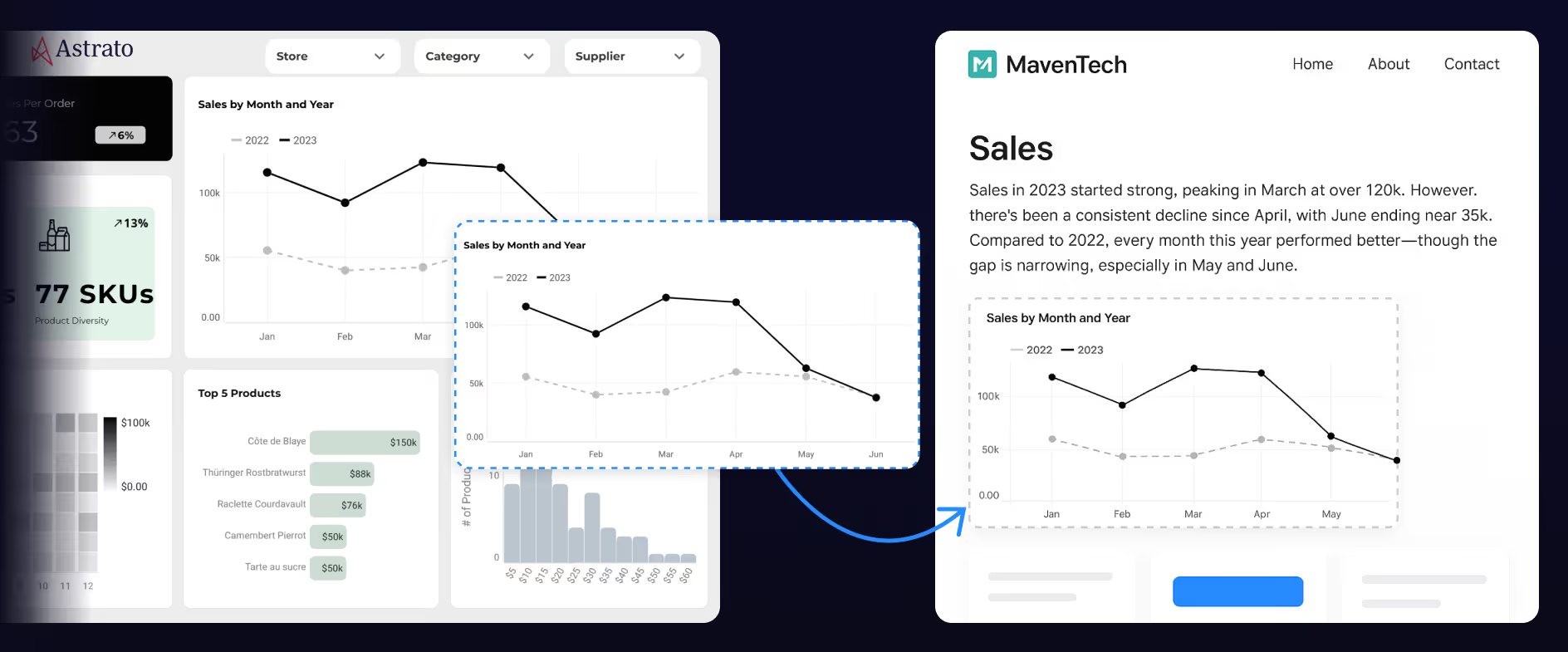
Multi-tenant security (JWT/SSO) is built in, not bolted on. For SaaS products and enterprises looking to win new customers with premium analytics, monetize data through value-add features, or reduce support burden through true self service, Astrato delivers a complete solution. You can ship in days, not months.
Sigma was not designed for external or customer facing use cases at scale. Its spreadsheet-centric interface works well for internal analysts, but it is not built to power polished, branded analytics experiences inside your product.
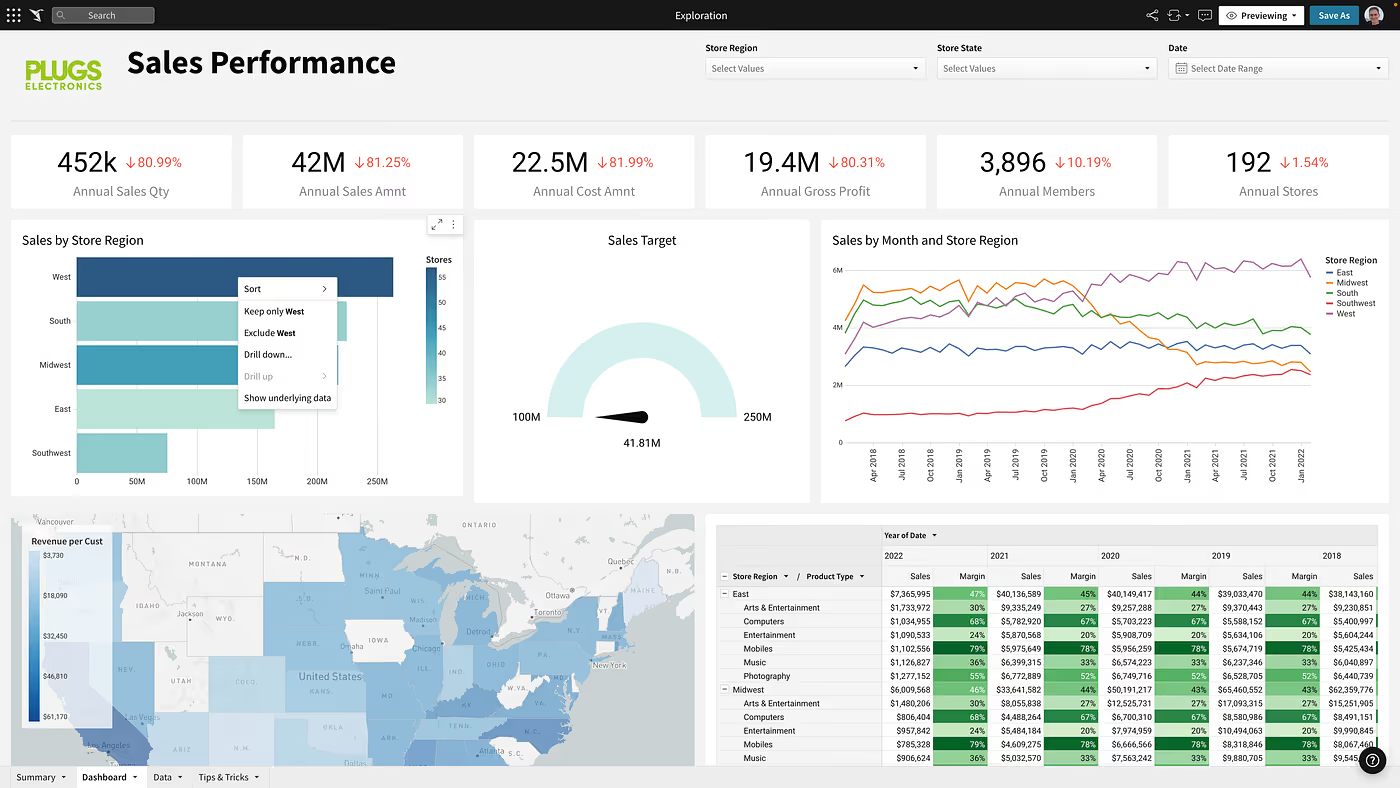
White-labeling capabilities are limited, and multi-tenant isolation is not a core strength. If you are building internal tools for your analytics team, Sigma can work. If you need to embed analytics in a customer portal or create data apps for new customers, the gap is significant.
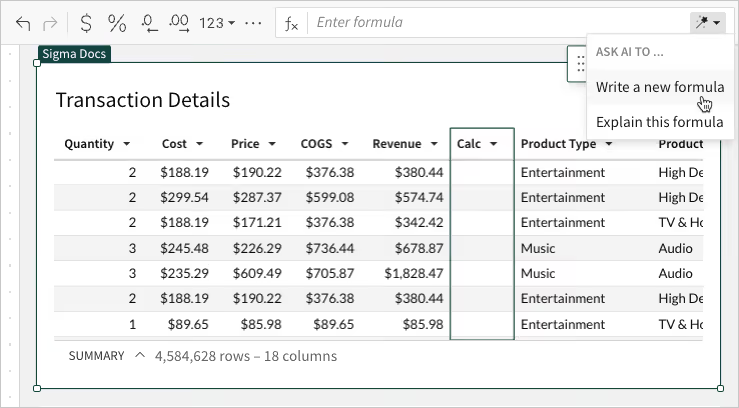
Sigma’s strength lies in enabling technical users to self-serve without waiting on IT.
The trade-off is that Sigma's model does not scale well to the broader business.
For organizations where analysts build and everyone else consumes, Sigma fits beautifully. For those chasing true cross-functional adoption, it can feel like the door never fully opens.
On the other hand, non technical users, frontline employees, marketing teams, customer success managers, and executives who just need to consume dashboards and explore data without understanding data modeling are often overwhelmed by the spreadsheet paradigm.
Multiple G2 reviewers have reported steep learning curves, and one noted that the platform can be slow and not always user-friendly.
Astrato takes a different approach, treating self-service as a human-centered design challenge, not a data-engineering problem. With a clean, design-first visual interface, its no-code measure builder converts natural business logic into SQL automatically.
AI Insights guide users toward the right visual for the data pattern they’re exploring. And because every chart inherits its definitions from the governed semantic layer, users can’t accidentally “break the truth”.
Its no-code UI was built for everyone: analysts create and curate and business users explore through guided analytics, bookmarks, AI-powered natural language queries, and interactive dashboards.
For example, a marketing manager can filter campaigns, build a quick cohort chart, and schedule a PowerPoint export, all in minutes, without an IT ticket.
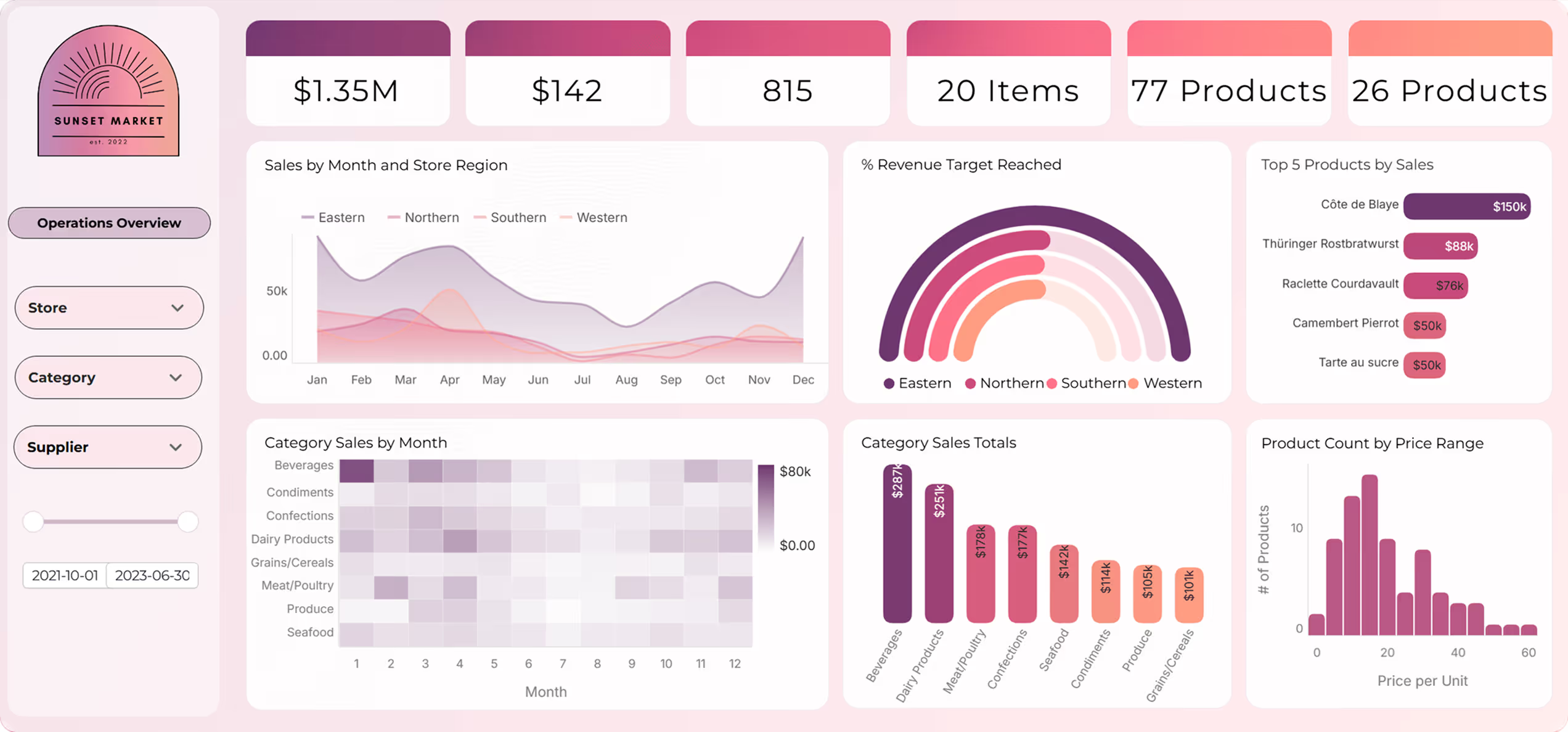
The semantic layer ensures that metrics are defined once and reused everywhere, preventing the workbook sprawl and metric duplication that plagues many self service analytics deployments.
Operational Workflows and Writeback
For decades, dashboards told users what happened. Now, data apps tell them what to do next — and let them do it right there.
Both Astrato and Sigma support interaction and input. But their philosophies differ: Astrato turns dashboards into governed applications, Sigma adds inputs inside its analytical grid.
Astrato's writeback is native and real-time. Users can approve budgets, adjust forecasts, enter data corrections, and trigger automated workflows directly within dashboards. The visual action designer lets you build complex operational logic without code, turning dashboards into full-blown data apps and action centers.
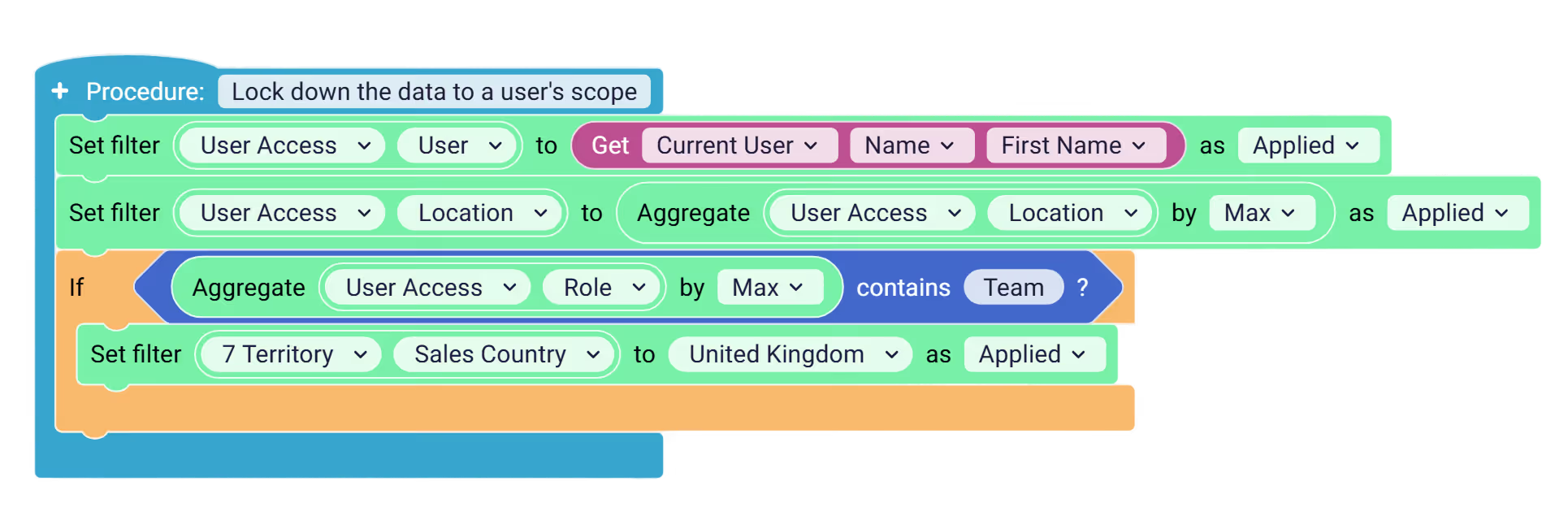
Each action runs through the live warehouse connection, maintaining lineage, auditability, and role-aware permissions defined in the warehouse.
You can log every event (who approved, when, what data changed), giving IT full visibility without removing business agility.
Typical workflows now include:
- Multi-step financial approvals (budget changes, accrual adjustments)
- Inventory and demand planning (restock thresholds, vendor updates)
- Customer operations (status changes, churn follow-ups)
In other words, the warehouse remains the single source of truth, Astrato simply gives it a user interface.
Sigma offers Input Tables and warehouse write-back, and has recently invested in embedded write-back and data apps. They’re fast, intuitive, and governed by role permissions, but don’t offer full workflow orchestration.
There’s no native framework for multi-step approvals, branching logic, or cross-system triggers. For production-grade operational apps, teams typically integrate external automation tools or custom scripts.
That makes Sigma great for ad-hoc modeling, but less so for governed, repeatable business processes.
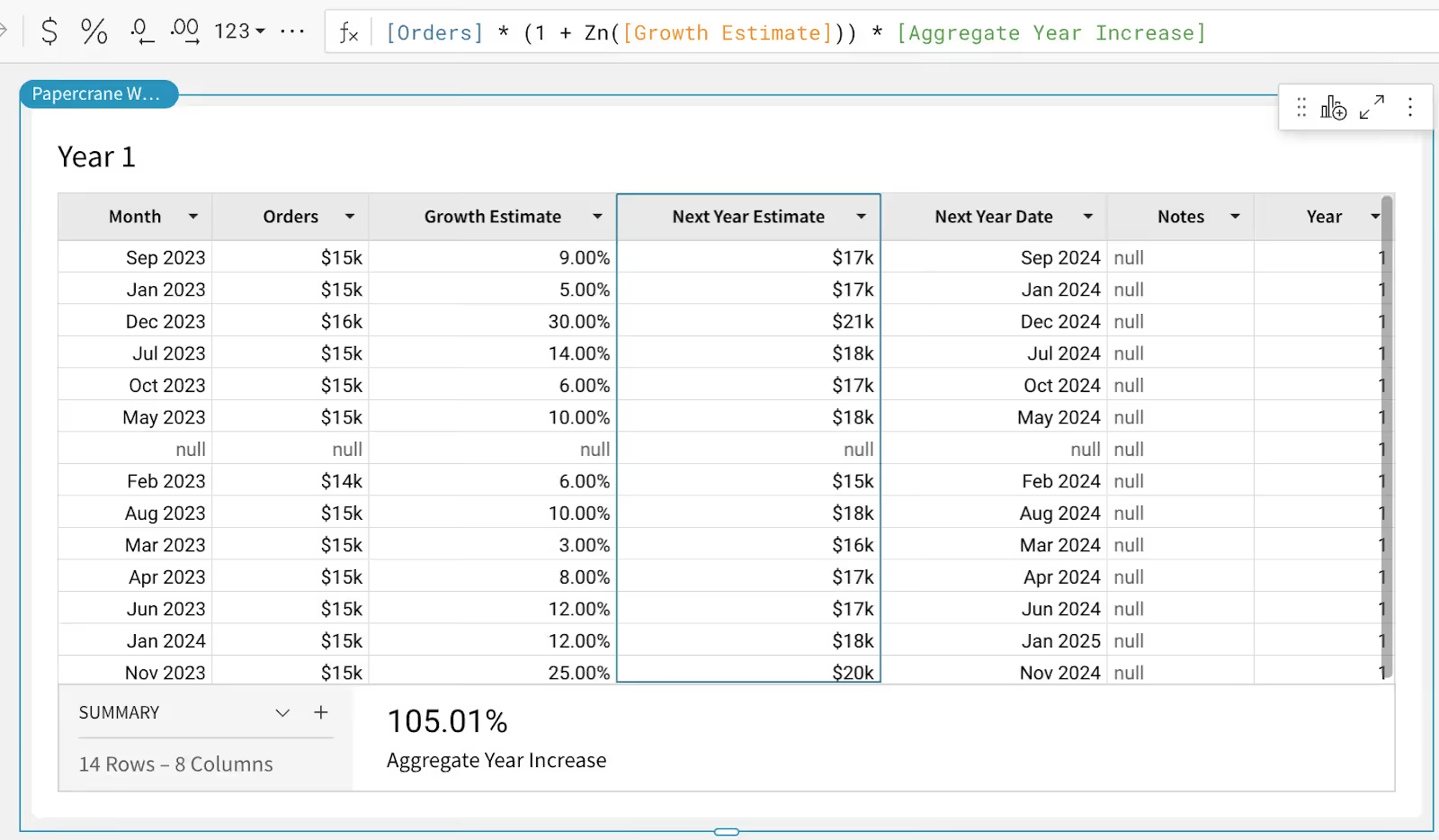
In one instance, a customer care team using Sigma for call tracking discovered a latency issue where writeback changes did not update until the dashboard was manually refreshed, creating a risk of double actions, like two agents contacting the same customer simultaneously.
Astrato's approach solves this by allowing you to refresh data within the action workflow, check whether conditions still hold, and only then perform the action, with a clear notification if the state has changed.
Reporting and Automation
Reporting is another area where the gap widens.
Astrato provides production-ready scheduled exports in PDF, Excel, and PowerPoint. You design PowerPoint templates with placeholder sheets, and Astrato populates them with live data, looping through dimensions to create polished, branded output.
Finance teams send month-end board decks, customer success teams share weekly retention trends, compliance teams export audit-ready visuals. AI summaries can be included in reports for automated executive commentary.
Sigma's reporting capabilities are basic by comparison. PDF export quality has been flagged by users as problematic: visuals need to be very small to fit on a single page, and larger visuals get cut in half across pages.
There is no template-based formatting, no production-ready PowerPoint generation, and no AI-generated report narratives. For teams where scheduled reporting drives revenue or client relationships, this is a significant limitation.
AI-Powered Insights
AI is a modern expectation for any business intelligence platform, but the quality of AI-powered analytics depends entirely on whether the platform gives AI enough context to generate accurate results.
Astrato's semantic layer is the foundation of its AI capabilities. Well-defined models, clear metric definitions, and descriptive metadata ensure that when a user asks a natural language question like "which region had the highest revenue last quarter," the AI generates smart, context-aware SQL rather than guesses.

Astrato integrates natively with Snowflake Cortex (supporting Meta, Claude, DeepSeek, and Mistral models), Google Gemini for BigQuery, and OpenAI or bring-your-own LLM. AI summaries, automated commentary, and a dashboarding co-pilot are built in, not bolted on.
Sigma's AI is limited to running a single query at a time, acting as a data retrieval tool rather than a thought partner. Ask Sigma, their AI chat feature, is disconnected from dashboards and workbooks, meaning you cannot seamlessly continue querying once you jump into a workbook.
There is no way to define AI context directly within Sigma, which forces the platform to rely on upstream tools for context, leading to potential inaccuracies. And there is no way to test or tune the AI experience, which creates risks of unexpected regressions. For engineering teams and data teams who want innovation in AI-powered analytics, these are meaningful constraints.
Visualization and Design Quality
If your dashboards serve internal analysts only, visualization quality may not be a dealbreaker. But if you are building customer facing analytics, embedding insights into SaaS products, or creating executive reporting that represents your brand, design matters.
Astrato offers pixel-perfect design control with a rich visualization library that includes advanced types like Sankey charts, dot plots, word clouds, and heat maps.
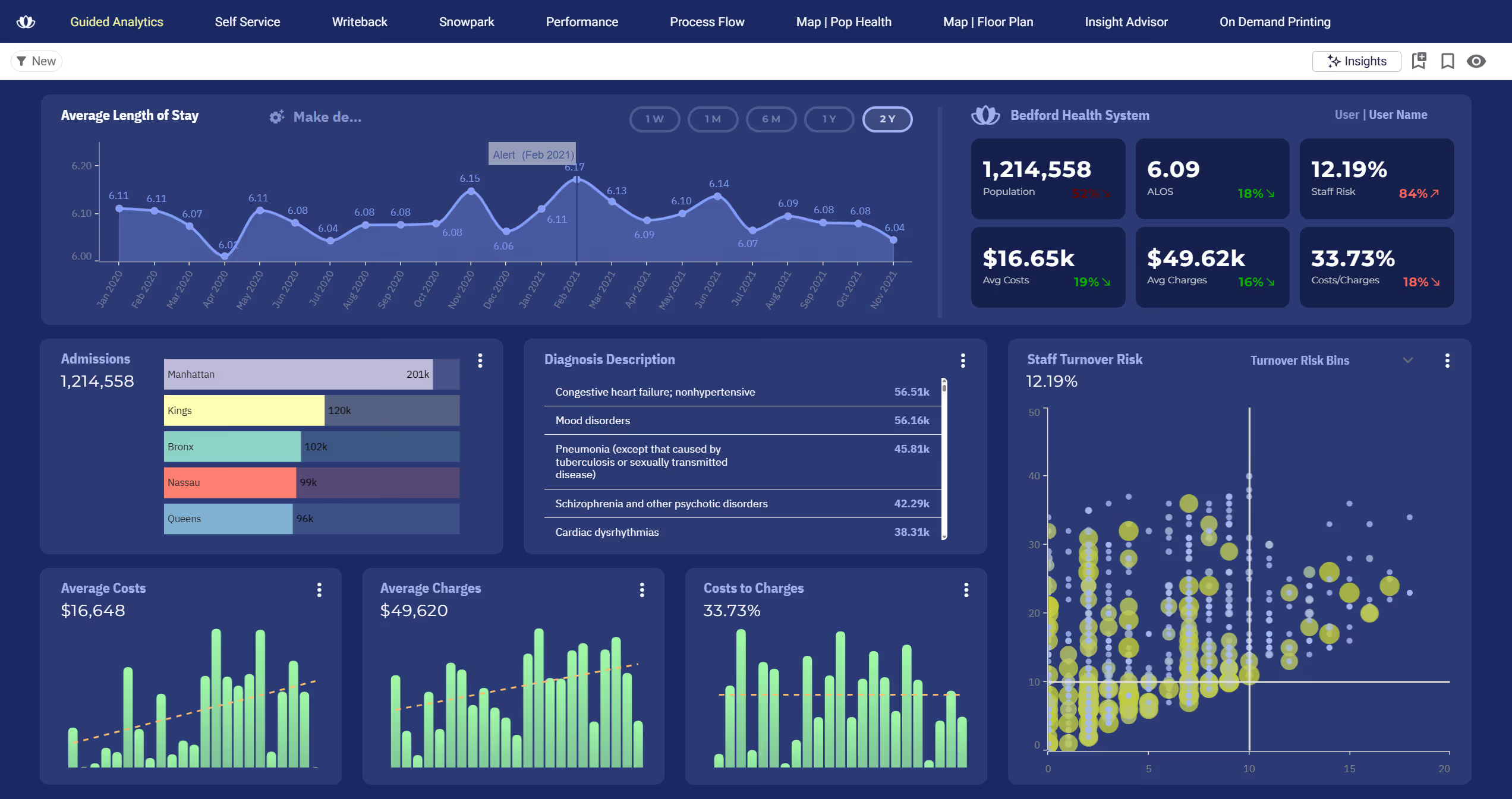
You can overlay objects to create infographic-style dashboards and have total creative freedom over layout, colors, fonts, and styling. This is critical for teams that need to create polished, branded experiences without writing code.
Sigma's visualization library is functional but limited to standard business charts, mainly bar, line, and combo charts. Fine-tuning visual details like specific border thickness, custom color gradients, or unique chart types is restricted.
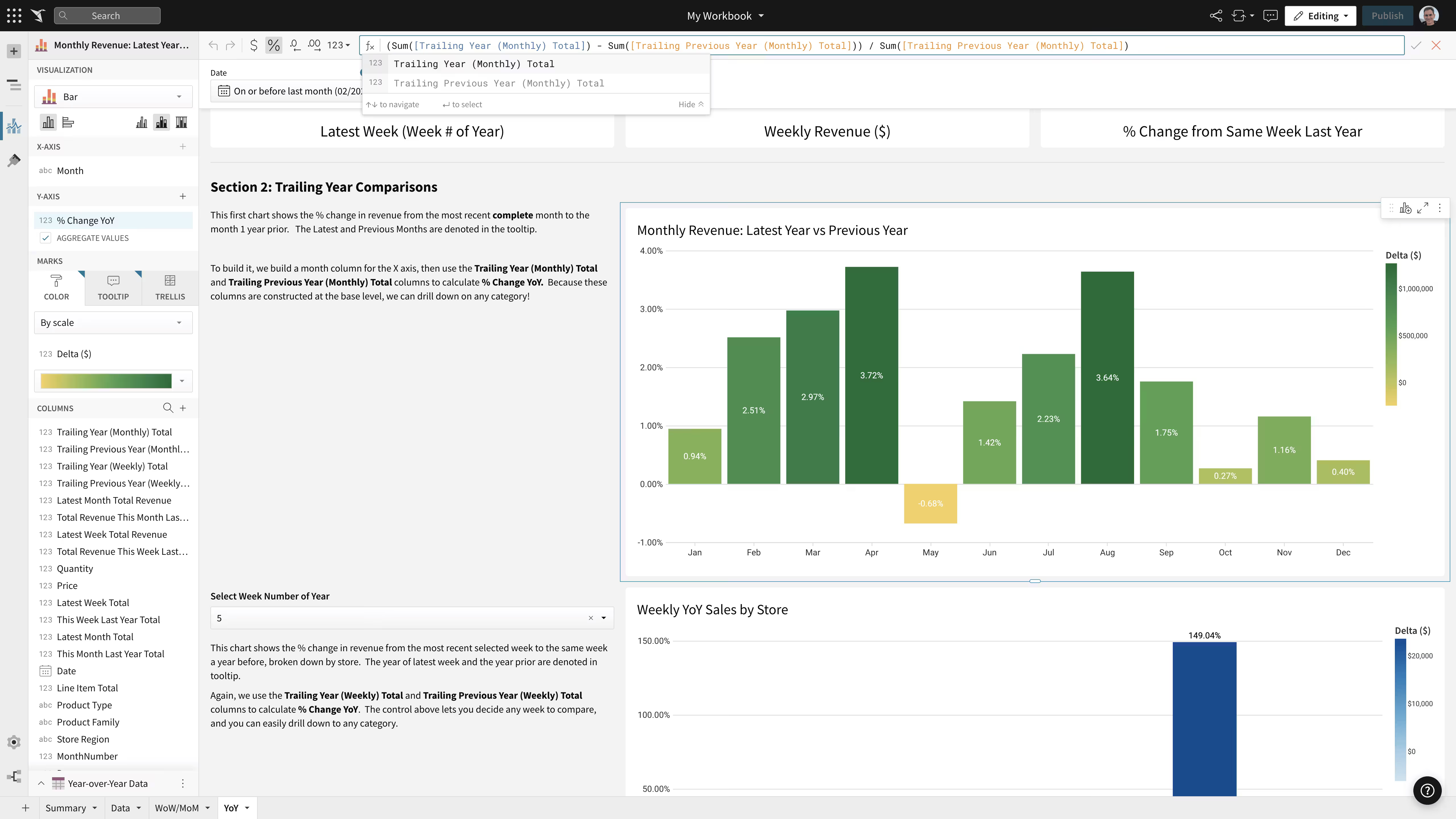
Multiple G2 reviewers have noted that Sigma's visualizations are simple-looking and lack the customization depth found in other platforms. The spreadsheet grid aesthetic is not an ideal fit for polished dashboard presentations or branded embedded analytics.
Ready to experience next-gen analytics?
See how Astrato runs natively in your warehouse.